






2026 Buyer's Guide: The Best Asset-Centric Field Service Management Platform

Your techs spent hours this week reconstructing information that should have been waiting for them when they showed up.
That's the real cost of running equipment-heavy service on a platform built for something else. The hours burned pulling up old work orders, calling the office to check warranty status, or guessing which parts were swapped out last time.
Platforms like ServiceTitan weren't designed for this. Their equipment hierarchy stops at three levels, and if someone deletes a parent record, every child asset below it becomes an orphan that someone has to manually reassign. That's a structural limitation, not a configuration problem.
This guide covers twelve platforms, including IFS, ServiceMax, and Jobber, and tells you plainly which ones are built around the asset and which ones bolt asset tracking onto a work-order-first system.
What Makes Field Service Software Asset-Centric?
Asset-centric field service management software treats the physical equipment as the center of gravity, placing it above the work order or customer account. A generic FSM tool makes the work order the primary record, requiring manual reconstruction of asset history by scrolling through past jobs. In an asset-centric platform, the asset (a generator, a chiller, a crane) is the record of truth, and every work order, warranty, contract, parts replacement, and service note attaches to it automatically.
The operational difference shows up the moment a technician is dispatched. A tech arriving at a power generation site should know the generator's install date, every prior service visit, which parts were replaced last time, and whether the work is covered under warranty before they open their toolbox. Without that context already in the system, techs spend the first 20 minutes of a job reconstructing information that should have been handed to them, which drives longer job times and repeat visits.
Asset-centric platforms organize equipment in an asset hierarchy, the structured relationship between a parent asset and its components. A generator is the parent asset; its fuel system, cooling assembly, and control panel are child components. Each component carries its own service history, warranty status, and parts record, so when a technician replaces a fuel pump, that replacement is logged against the fuel system component, not just the work order.
- Generic FSM: Work order is the record of truth; asset history must be reconstructed manually from past jobs
- Asset-centric FSM: The asset is the record of truth; every work order, contract, and warranty attaches to it automatically
Which Features Matter Most for Equipment-Heavy Service?
Your dispatcher is cross-referencing spreadsheets to figure out who has the right certification for a specific generator model. Your back-office staffer is calling a technician back to fill in incomplete notes before an invoice can go out. The six capability areas below are where equipment-heavy service organizations lose time and money when the platform falls short, listed in order of operational priority.
Asset Records and Service History
A complete asset record includes serial number, location, asset hierarchy, full service history, and attached documentation like manuals and schematics, all accessible from the mobile app before the tech leaves the parking lot.
- Equipment hierarchy: Parent asset and sub-component records linked in a structured hierarchy
- Attached documentation: Manuals, schematics, and inspection records accessible from the mobile app
- Full service history: Every prior work order, part, and technician note tied directly to the asset record
Schedule, Dispatch, and Offline Mobile
Scheduling in asset-heavy service is more complex than in residential trades because skill matching, parts availability, and asset-specific certifications all factor into who gets dispatched. The mobile app must work without cell coverage, because technicians in basements, substations, and remote industrial sites cannot depend on a signal. Offline capability means the app queues work orders, asset data, and inspection forms locally and syncs when back in range.
- Skill and certification matching: Dispatch rules that account for asset type, technician qualifications, and geography
- Offline job execution: Full work order, asset history, inspection form, and documentation access without a signal
- Sync on reconnect: Data written offline posts to the back office automatically and reconciles itself
Contracts, Warranties, and Coverage Rules
Contract and warranty coverage enforcement means the platform checks coverage at work-order intake, before a technician is dispatched, and flags whether the work is billable, covered under contract, eligible for a warranty claim, or requires customer approval. Without this check, techs complete billable work at no charge, or charge for covered work, and neither error surfaces until the invoice is already wrong.
One of the largest equipment service organizations in the Service Pro customer base was writing off warranty revenue at a rate that added up to millions per year before implementing a platform with coverage enforcement. The cost of skipping this capability shows up as unbilled work and unclaimed warranties that compound every billing cycle.
- Coverage check at intake: Contract and warranty status verified at work order creation, before dispatch
- Automatic warranty claim generation: Warranty-eligible work flagged and documented for automatic recovery
- Contract rate enforcement: Labor and parts rates pulled from the correct contract automatically
Preventive Maintenance, Inspections, and Parts
Asset-centric FSM generates PM work orders automatically based on asset-specific schedules (time-based, meter-based, condition-based, or event-triggered). Parts history attached to a specific asset tells a technician what was replaced last time and whether a part is still under warranty.
- Asset-based PM triggers: Schedules tied to each asset's install date, runtime hours, or condition thresholds
- Standardized inspection forms: Checklists that are asset-type specific and completable without cell coverage
- Parts history by asset: Every part used on a specific asset logged directly against that asset's record
ERP Integration and Profit Dashboards
Asset-centric FSM platforms integrate with the ERP the organization already runs. The FSM platform is master of field data; the ERP remains master of financial data. The most common ERPs in this market are Sage 100, NetSuite, Epicor Prophet 21, and Microsoft Dynamics Business Central.
Your controller is doing work-in-progress tracking in a manual Excel function because the batch ERP report doesn't run until Tuesday morning. A profit dashboard should show gross margin by job, technician utilization, and work-in-progress in real time. The integration eliminates the manual re-entry of work order data, parts costs, labor hours, and contract rates that creates what buyers call an "island of automation," where field data lives in one system and financial data lives in another.
- Native ERP connectors: Pre-built integrations to the ERPs common in industrial and energy service, with full data mapping
- Data ownership clarity: FSM as master of field data, ERP as master of financial data, with defined sync rules
- Real-time margin visibility: Job-level gross margin and technician utilization available immediately
AI Guidance From Your Own Service Data
AI in an asset-centric FSM platform is only as useful as the data it draws from. An asset-centric AI assistant answers from the organization's own asset records, service history, manuals, and work orders. The practical difference: a technician troubleshooting a generator gets guidance specific to that generator's service history and prior repairs.
Look for four capability categories:
- Field Execution (job prep context delivered to the technician before they arrive, including prior service notes and known failure patterns)
- Revenue (automated warranty and contract coverage checks triggered at work-order creation and invoice generation)
- Ops Intelligence (trends and historical analysis drawn from the organization's own service data)
- Compliance (audit trails and documentation for regulatory requirements)
Which Platforms Fit Asset-Centric Service Teams?
Platforms in this market split into four categories based on buyer profile. Each entry below describes what it is, who it fits, and where it falls short for asset-heavy operations specifically.

Enterprise FSM Platforms
IFS, ServiceNow FSM, Microsoft Dynamics 365 Field Service, and Oracle Field Service are built for large enterprises with complex IT environments and existing platform investments. Asset management depth is strong in IFS; ServiceNow and Dynamics 365 FSM are extensions of broader enterprise platforms.
Microsoft Dynamics 365 Field Service requires offline profiles to be engineered and continuously tuned, with filters, table selection, and sync scope managed manually. Microsoft's own documentation advises limiting offline data for sync performance and designing for large syncs over Wi-Fi, which breaks down in remote industrial environments where techs work in dead zones. ServiceNow FSM depends on pre-cached data for offline work, which means a technician who didn't download the right cache before losing signal may execute a job with stale instructions or missing asset history.
Choose an enterprise FSM platform when your organization has 500-plus technicians, a dedicated IT team, a multi-year implementation budget, and existing platform investments to protect. Avoid them when you need fast asset-centric value without building a platform team to configure entitlement logic, contract coverage validation, offline scope rules, and data sync filters from scratch.
Asset-Centric FSM Platforms
ServiceMax (PTC) and Service Pro by MSI Data are purpose-built around the asset lifecycle. ServiceMax runs on the Salesforce platform, which means it inherits Salesforce's strengths in CRM integration and ecosystem breadth, along with its constraints: Salesforce licensing requirements and implementation complexity. Service Pro by MSI Data is ERP-agnostic and built specifically for mid-market equipment-heavy service organizations in power and energy, industrial equipment, commercial HVAC, and refrigeration, organizations running $50M or more in annual revenue with 50 or more field technicians.
Choose ServiceMax when your organization already runs on Salesforce and wants FSM built into that ecosystem. Choose Service Pro when you need purpose-built asset-centric FSM that integrates with the ERP you already run and deploys independently of Salesforce.
Trade and Contractor FSM Platforms
ServiceTitan, BuildOps, Simpro, and FieldEdge are built for the residential and commercial trades and are optimized for high job volume, price books, customer communication, and membership sales. Asset tracking exists in these platforms as a secondary feature.
ServiceTitan's Equipment Systems hierarchy is limited to System, Equipment, and Sub-Equipment, with no sub-systems allowed and each equipment item belonging to only one system at a time. Deleting a parent creates orphaned sub-equipment that requires manual reassignment. Industrial assets often require deeper nesting (site, line, machine, assembly, serialized component) plus shared components across systems, which is exactly where this structure breaks. BuildOps connects to QuickBooks, Sage, Vista, Spectrum, and NetSuite, though buyers should pressure-test whether the integration posts job cost, WIP, parts issues and returns, and multi-entity financials, or whether it runs on a batch or manual sync.
Choose these platforms for contractors running residential and light-commercial service with standardized equipment types. Organizations managing large, complex physical assets under service contracts or warranties need a platform with deeper asset capabilities.
SMB Field Service Software
Jobber, Housecall Pro, Synchroteam, and similar tools are designed for smaller service businesses where scheduling, invoicing, customer communication, and online booking are the primary needs. Jobber users explicitly request an equipment or asset history log in the company's own community forum, describing not being able to look up history on specific equipment. Housecall Pro markets Property Profiles with equipment tracking and service history, though its Service Plans are a subscription construct separate from component-level warranty enforcement or automated coverage rules at invoicing.
These platforms fit service businesses with fewer than 25 technicians and low asset complexity.
How Should You Measure ROI Before a Demo?
The right question to bring into a demo is "what will this platform change about the number I care most about?" The five KPIs below define the metric, explain why it moves in asset-heavy service, and give a concrete question to ask a vendor.
First-Time Fix Rate
First-time fix rate is the percentage of service calls resolved without a return visit. Aberdeen research puts overall average first-time fix at 75% and best-in-class at 89%. Aquant's 2025 benchmark report shows median first-time fix rate at 75%, top 20% at 86%, and bottom 20% at 53%, with Industrial Machinery specifically at 77%.
A return visit to a power generation site or an industrial facility costs more in truck rolls, technician time, and customer downtime than a return visit to a residential HVAC job. The gap between average and best-in-class closes when technicians arrive with complete asset history and prior service context already loaded on their device.
Vendor question to ask: "Show me how a technician accesses prior service history and parts records for a specific asset before they arrive on site."
Technician Utilization
Technician utilization is the percentage of scheduled technician hours spent on billable work versus travel, waiting, or administrative tasks. Utilization suffers when dispatchers lack visibility into which technician has the right certification for a specific asset type, or when technicians spend time at the job site reconstructing asset context they should have had before leaving the office.
Vendor question to ask: "How does your scheduling engine account for asset-specific certifications, parts availability, and technician location together?"
Time-to-Invoice
Time-to-invoice is the number of days between a technician closing a job and an invoice reaching the customer. In asset-heavy service, the gap is long because invoices depend on technician notes that are often incomplete, contract rates that must be looked up manually, warranty coverage that must be verified before billing, and parts costs that must be reconciled. Forrester's Total Economic Impact study for Dynamics 365 Field Service reports interviewed organizations moving from four days to approximately two days in Year 1 and down to approximately 0.5 days in Year 2 and 3.
Vendor question to ask: "Show me the path from a technician closing a work order to an invoice record appearing in our ERP."
Warranty Recovery
Warranty recovery is the dollar value of warranty-eligible work that is correctly claimed rather than written off as unbillable. Warranty leakage happens when coverage is not checked at work-order intake, when technicians complete warranty-eligible work without flagging it, when warranty claims are not submitted because the documentation process is too manual, or when claims are submitted late and rejected. One of the largest equipment service organizations in the Service Pro customer base recovered warranty revenue that had previously been written off entirely, revenue that had been leaking at a rate of millions per year.
Vendor question to ask: "Show me how your platform flags warranty-eligible work at work-order creation, before a technician is dispatched."
PM On-Time Completion
PM on-time completion is the percentage of scheduled preventive maintenance visits completed within the scheduled window. Missed PM visits create two problems: asset reliability declines, and contract SLA penalties can apply. An asset-centric platform generates PM work orders automatically from asset-based schedules.
Vendor question to ask: "Show me how PM work orders are generated from asset schedules, and how overdue PMs surface in the dispatch board."
How Do You Avoid a Bad Field Service Rollout?
The most common reason a good platform evaluation stalls is timing and organizational readiness. The five steps below reduce rollout risk for a service manager preparing for an implementation.
Start With Asset and Contract Data
The single biggest implementation risk in asset-centric FSM is incomplete or inconsistent asset data. If the asset records going into the new platform are missing serial numbers, install dates, or service history, the platform cannot do what it was bought to do. Audit asset records before a vendor demo, and look for a platform that can import from a spreadsheet or an existing ERP.
Test Offline Jobs in the Field
Offline capability must be tested in the actual environments where technicians work (basements, substations, remote sites, industrial floors, etc.). Ask the vendor to demonstrate a complete job cycle (open work order, access asset history, complete inspection form, close work order) with airplane mode enabled on the device. If the demo cannot do this, the product can’t do it in the field.
Map ERP Data Ownership Before Go-Live
The service manager and the IT lead need to agree on which system is master of which data before go-live: the FSM platform owns field data (work orders, labor hours, parts used, asset records) and the ERP owns financial data (invoices, payables, general ledger, cost accounting). Without this agreement in writing, data conflicts surface within the first billing cycle and erode trust in both systems.
Plan Training Around the Service Calendar
Rolling out a new platform during the peak service season (summer for HVAC, winter for heating and power generation) guarantees low adoption because technicians are too busy to learn a new tool. Plan go-live for a low-volume period and train dispatchers and back-office staff before technicians, so the office can support the field during the first weeks of live operation.
Pilot One Revenue Leak First
Choose one revenue leak to target first. Warranty recovery is the easiest to quantify because it was previously invisible. Configure the platform to address that specific problem before adding complexity, and a visible win in the first quarter makes the case for broader adoption through incremental expansion.
How Does Service Pro by MSI Data Fit Asset-Centric Operations?
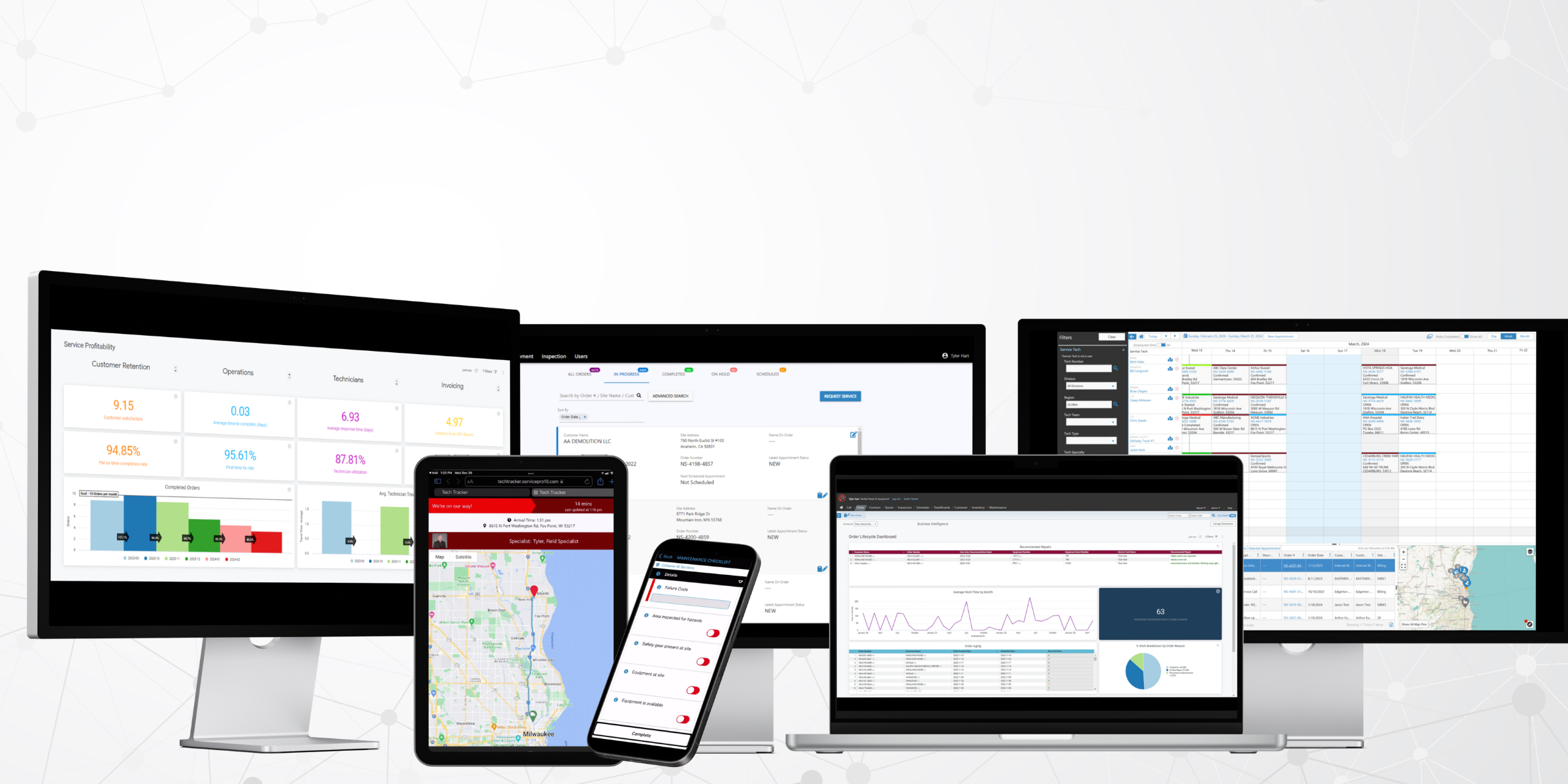
Service Pro by MSI Data is built for mid-market equipment-heavy service organizations that need asset-centric field service management without enterprise implementation complexity. Each capability below connects a specific Service Pro feature to a pain point already named in this guide.
Equipment-Heavy Service Fit
Service Pro is built specifically for organizations managing large physical assets in power and energy, industrial equipment and manufacturing, commercial HVAC and refrigeration, and similar equipment-heavy industries. Field service management has been MSI Data's sole focus for more than 15 years, and the platform is designed for organizations running $50M or more in annual revenue with 50 or more field technicians, where asset complexity and contract volume require purpose-built capabilities.
ERP-Agnostic Integration
Service Pro integrates natively with Sage 100, NetSuite,, Epicor Prophet 21, and Microsoft Dynamics Business Central through pre-built connectors and a secure API. Field data flows from Service Pro into the ERP automatically, eliminating the manual re-entry that creates the "island of automation" problem described earlier in this guide.
Offline Mobile Field Execution
Service Pro's mobile app gives technicians access to asset records, service history, work orders, and inspection forms in offline mode. Jobs opened offline sync automatically when the device reconnects, designed for the environments where equipment-heavy service actually happens: substations, crawlspaces, industrial floors, and remote generation sites.
Contract and Warranty Coverage Enforcement
Service Pro checks contract and warranty coverage at work-order intake, before a technician is dispatched, and enforces the correct billing treatment automatically. Warranty-eligible work is flagged for claim submission and contract rates are applied automatically. One of the largest equipment service organizations in the Service Pro customer base recovered warranty revenue that had previously been written off entirely.
Service Pro AI and Forward Deployed Support
Service Pro AI is the intelligence layer built on top of the platform's own asset records, service history, manuals, and work orders. The agent layers include Field Execution agents (deliver job prep context to technicians before they arrive), Revenue agents (enforce warranty and contract coverage and generate invoice records), Ops Intelligence agents (surface trends and historical analysis for service leaders), and Compliance agents (maintain audit trails and documentation). Every Service Pro AI trial includes a Forward Deployed Engineer embedded with the customer's team, because AI adoption in field service requires organizational change and responsive support.
Frequently Asked Questions
Can Asset-Centric Field Service Software Work Without an Internet Connection?
Yes, if the platform is designed for offline operation. Purpose-built asset-centric platforms store work orders, asset records, inspection forms, and documentation locally on the device and sync when connectivity is restored, but this must be tested in the actual field environment.
Does Implementing an Asset-Centric FSM Platform Require Replacing the ERP?
No. Asset-centric FSM platforms in this market are designed to integrate with existing ERPs, with the FSM platform managing field data and the ERP managing financial data.
How Long Does an Asset-Centric FSM Implementation Typically Take?
Implementation timelines vary based on asset data readiness, ERP complexity, the number of technicians being onboarded, and existing workflow documentation. Organizations with clean asset records and a straightforward ERP integration go live faster than those migrating from paper-based or heavily customized legacy systems.
What Is the Difference Between an Asset-Centric FSM Platform and a CMMS?
A CMMS (computerized maintenance management system) manages maintenance schedules and work orders for assets an organization owns and operates internally. An asset-centric FSM platform manages service delivered to customers on assets the customer owns, adding scheduling, dispatch, contract and warranty management, mobile technician execution, and ERP integration beyond CMMS scope.
Which Industries Benefit Most From Asset-Centric Field Service Management?
Industries that manage large, complex physical assets under service contracts (power and energy, industrial equipment and manufacturing, commercial HVAC and refrigeration, and similar sectors) see the most direct benefit, because the asset record, contract enforcement, warranty recovery, and PM automation capabilities address problems specific to high-value, long-life equipment.
What Data Should an Organization Prepare Before a Platform Demo?
Bring a sample of actual asset records (with serial numbers, install dates, service history, and warranty status), a representative service contract, a list of the ERP fields that currently require manual re-entry after a job closes, and a sample work order. This lets the vendor demonstrate against real operational data.
See what the wait between a finished job and a sent invoice is costing you.
Run the numbers