








Slow Invoicing? Why Hiring More Billers Won’t Fix It (and What to Do Instead)

Business is growing. You’ve added technicians, taken on new customers, and your team is completing more jobs every month than it did a year ago. More jobs mean more invoices, and the billing team is feeling it. The aging report keeps getting longer, and a request for another biller lands on leadership’s desk. It’s a reasonable request. When volume grows, adding people to keep up with it looks like the obvious fix.
Before you approve it, ask a different question: what is the billing team actually waiting on?
For most of the field service organizations we talk with, the answer sits outside the billing office. The job is done, and the technician has moved on to the next call. The information needed to build a clean invoice is still in the truck, in a group text, or in someone’s memory. A new hire in the back office doesn’t change where that information lives or how fast it arrives.
“Headcount isn’t necessarily going to go and fix the problem with these invoicing challenges, with the time that it takes.”
Michael Gonzalez, CEO, MSI Data

Why Another Biller Doesn’t Move the Number
Think of invoicing as a pipeline. Work orders enter when a job is completed and leave when an invoice goes out. The narrowest point sets the speed of the whole pipeline, and for most service organizations, that point sits upstream of billing.
Customers have told us up to 90% of invoicing time is spent waiting on information from the field, rather than processing or typing the invoice. Picture a work order that takes 10 days to go from job complete to invoice out. If nine of those days go to waiting on missing notes, an unrecorded part, or a purchase order nobody is watching, the biller’s actual work happens on day 10. A second biller can help with day 10, and the first nine days stay the same.
Headcount also doesn’t reduce the number of handoffs a work order passes through. Notes, photos, parts, coverage checks, and approvals still have to come together between your field service system and your ERP. Each handoff depends on someone executing the process the same way across hundreds to thousands of orders a month.
“There’s all these processes and these people and these touch points that have to work in concert to have this happen. You almost have to pitch a perfect game every single time, which makes it really challenging.”
Michael Gonzalez, CEO, MSI Data
When most of the delay comes from waiting, adding billing capacity mostly adds capacity to wait. The backlog may shrink for a few weeks while more people chase information, but as job volume grows, the chasing grows with it.
The Real Cost of Invoicing Delay
Every day completed work sits uninvoiced is another day you’re giving your customer an interest-free loan. You’ve already paid for the labor, parts, and overhead, and your customer’s payment terms haven’t started yet. For a business with $100 million in annual revenue, roughly $274,000 in work gets completed every day, so each day of invoicing delay ties up about that much more in unbilled work. A new hire can’t shorten that wait if the information still arrives late, so it’s worth looking at what’s filling those days.
In a recent webinar on time-to-invoice, Shannon Ruffing and Tarrell Graham, co-founders of Solhver, a trades operations and advisory firm, walked through what fills a billing admin’s day. If you ask one of your own billers to walk you through a stuck work order, you’ll likely hear a version of this list:
- Tracking down where parts came from, whether a van, a warehouse, or a local supply run
- Translating technician shorthand into wording a customer can understand
- Reviewing technician labor hours, often 12 to 24 hours after the work was done
- Matching parts mentioned in the notes against parts recorded on the order
- Waiting on a purchase order or customer approval before anything can move
- Gathering warranty documentation, like serial numbers and photos, before a claim can go out
- Tracking down a manager to make a call on an unusual job
Whenever something has to go back to the technician, the clock keeps running. As Michael put it, “That’s a series of phone calls or text messages, which is quite expensive and really impacts the number of days.”
That’s investigative work. Tarrell shared that one admin described herself as an investigator, and the Sherlock Holmes comparison resonates with nearly every billing admin he meets.
Some billing admins even build their own workarounds. Tarrell and Shannon make a point of sitting at people’s desks, where the cheat sheets and file folders show how work actually gets done. During one site visit, a billing admin who had described her process as simply writing notes and adding them to the invoice opened a Word document full of saved AI prompts. For each invoice, she pulled the technician’s notes from the sales order, pasted them into Copilot or ChatGPT, chose the right prompt from her document, and copied the result back into the order. That added up to four or five copy-paste steps per invoice.
It was a clever solution. She had essentially built a manual version of AI note automation, turning raw technician notes into clean, customer-ready invoice language one copy-paste at a time. Along the way, she had become the connection between systems, moving the data slowly by hand. As Tarrell pointed out, none of that time shows up in the metrics most teams track.
A second biller in that seat would spend their day the same way. Read more about the four patterns behind the most stuck work orders. When information arrives late or incomplete, someone has to go find it, and another biller gives you one more person doing the finding.

Fix the Bottleneck First
Information is easiest to capture while the job is still fresh. The technician is on site, the equipment is in front of them, and what they did and used is clear in their mind. As hours and days pass, those details get harder to recover, and even strong technicians tend to finish their paperwork at the end of the day or later.
The most durable fix moves information capture closer to the job, with complete notes, recorded parts, and the right photos in place before the technician leaves the site. When a work order arrives in the back office complete, the billing admin can bill it.
“It isn’t necessarily a process problem or a people problem that you need to fix. You just have to understand where the bottlenecks are and where you can inject some help to go and solve those problems.”
Michael Gonzalez, CEO, MSI Data
To find your bottleneck, split your time-to-invoice into two measurements:
- Field lag: the time from job done to paperwork complete
- Back-office lag: the time from paperwork complete to invoice out
Field lag shows how long information takes to reach the system. Back-office lag shows how much work it takes to make that information invoice-ready once it arrives, from rewriting notes to reconciling parts and checking coverage. Both trace back to the same root cause: information that arrives late, incomplete, or in a form that can’t go straight onto an invoice. Capturing complete information at the source shrinks both numbers at once, and you don’t need to replace your field service platform or your ERP to do it, since most of the delay lives in the handoff between them.
What Billers Should Own Instead
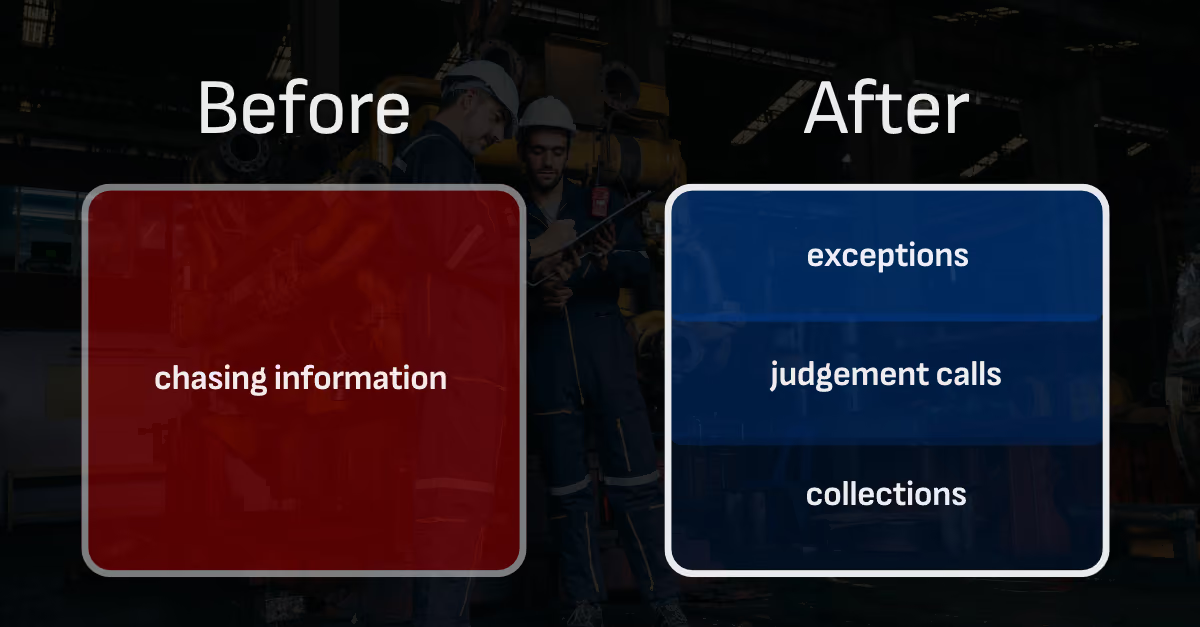
When routine work orders arrive complete, your billing team can manage invoicing by exception. Clean work moves forward, and human attention goes to the jobs that need it.
“It makes quality of life for some of your office staff significantly better, and we always are trying to pursue that.”
Shannon Ruffing, Co-Founder, Solhver
The goal is to point your billing admins’ hours at work that calls for their judgment:
- Exceptions. Orders with pricing questions, contract nuances, or warranty documentation that needs a trained eye
- Judgment calls. The “tweaky” jobs that don’t fit a standard template and need someone who knows the customer and the contract
- Collections. Following up on aging receivables, which is often the first task pushed aside when billers are buried in chasing. As Tarrell put it, “I dare anyone in trades to tell me they have enough people doing collections.”
- Customer billing questions. Responding quickly and accurately when a customer asks about a charge
Experienced billers know your customers and your contracts. That knowledge does more for your business on exceptions and collections than on texting technicians for missing details.
Before You Approve the Next Hire
October and November are budgeting season for many organizations, which makes this a natural time to scope next year’s billing needs. Before signing off on another billing seat, get answers to four questions:
- What’s our median number of days from job complete to invoice out?
- How much of that time is field lag, and how much is back-office lag?
- How many hours a week does our billing team spend chasing information instead of billing?
- Is there a dollar threshold below which completed jobs just don’t get invoiced?
That last question surprises many service leaders. As Michael described what he’s seen on customer sites, “You end up having a happy customer, but you never end up sending out those invoices for $500, $1000, $1,500, and those add up.”
If the answers show most of your delay in the field, or in back-office time spent reworking incomplete information, the budget set aside for a new hire may go further when it’s spent on fixing information capture at the source.
See Your Own Time-to-Invoice Baseline
Most organizations have never split their invoicing delay into field lag and back-office lag, and that split is where the hiring question gets answered. A good place to start is a quick estimate with an ROI calculator of what unbilled work may be costing you. Next, find your time-to-invoice baseline by measuring your own completed jobs. Find out how many days they wait, where those days go, and how much revenue is sitting in aging work orders.
Frequently Asked Questions
Does capturing information at the source help the back office too?
Yes. Much of back-office lag goes to rewriting notes, reconciling parts, and checking coverage on work orders that arrived incomplete. When notes, parts, and photos are captured completely on site, billing admins spend less time on rework and more time on exceptions, collections, and customer questions.
How can I tell where my invoicing delay comes from?
Split your time-to-invoice into field lag and back-office lag. Field lag is the time from job done to paperwork complete. Back-office lag is the time from paperwork complete to invoice out. Then look at what fills the back-office days. If most of that time goes to rewriting notes, reconciling parts, or chasing missing details, the root cause is still the information coming out of the field.
What information most often holds up a field service invoice?
The most common holdups are late or incomplete technician notes, parts that were used but never recorded on the order, missing purchase orders or customer approvals, warranty details like serial numbers and photos, and unusual jobs waiting on a manager’s decision. Each of these is easier to resolve while the technician is still on site.
How much does slow invoicing actually cost me?
A simple way to estimate it is to divide your annual service revenue by 365 to see how much work you complete each day, then multiply by your average days to invoice. For a $100 million business, each day of delay ties up roughly $274,000 in completed, unbilled work. For an estimate based on your own operation, the ROI calculator does the math for you.
Do we need to replace our field service software or ERP to fix our time-to-invoice?
No. Most invoicing delay happens in the handoff between the systems you already run. Service Pro Time-to-Invoice works between your existing field service system and ERP. It catches missing information while the work is still fresh, turns raw field notes into billable invoice notes, and shows which completed jobs are stalled and why, so you can invoice every job faster.
See what the wait between a finished job and a sent invoice is costing you.
Run the numbers