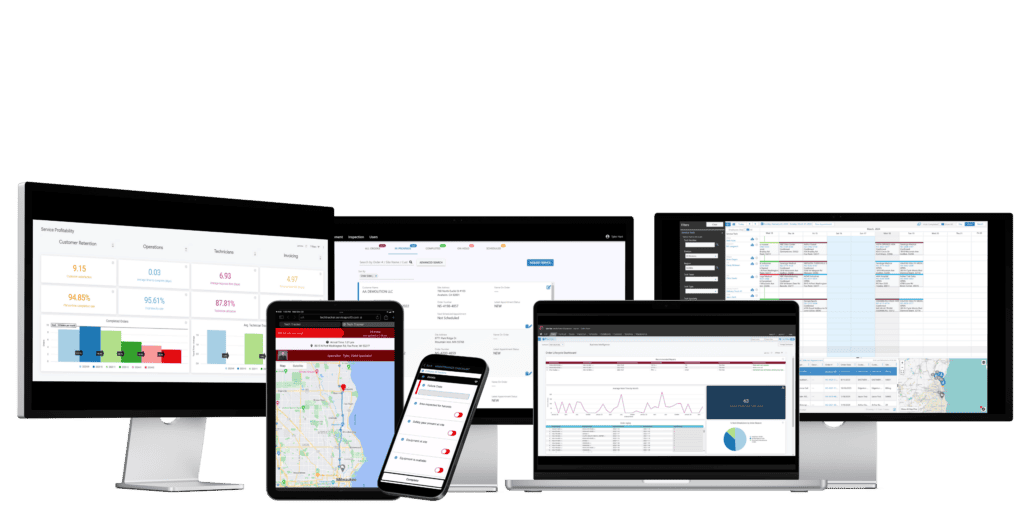
What problem can’t be fixed by hiring more service technicians?
Let’s say you’ve established a solid group of service technicians. You have jobs rolling in. You’re generating revenue – but it’s slow going, too slow. You’re deciding on your next action, and considering hiring more technicians to attend to all your incoming work.
Adding more technicians to your roster might seem like the solution, unless your problem lies in low technician utilization. Why bother expanding your workforce if you can’t maximize your technician utilization with the workforce you have?
Technician utilization refers to the amount of time a technician spends on billable or productive activities, not including travel time, admin tasks, or other non-billable tasks. This metric is often measured as a percentage. The formula to calculate your technician utilization rate is Total Billable Hours/Total Available Work Hours x 100 = Utilization rate (%).
Low technician utilization means your technicians’ time is not being used effectively, and indicates your current scheduling, dispatching, and in-field processes are not working together. A low technician utilization rate can infect every area of your business and needs to be promptly addressed.
There are many best practices that service organizations of any industry and size can use to increase their technician utilization. We’ve collected 14 of the best proven strategies below, starting with intelligent scheduling.
1. Intelligent Scheduling & Skills-Based Dispatch
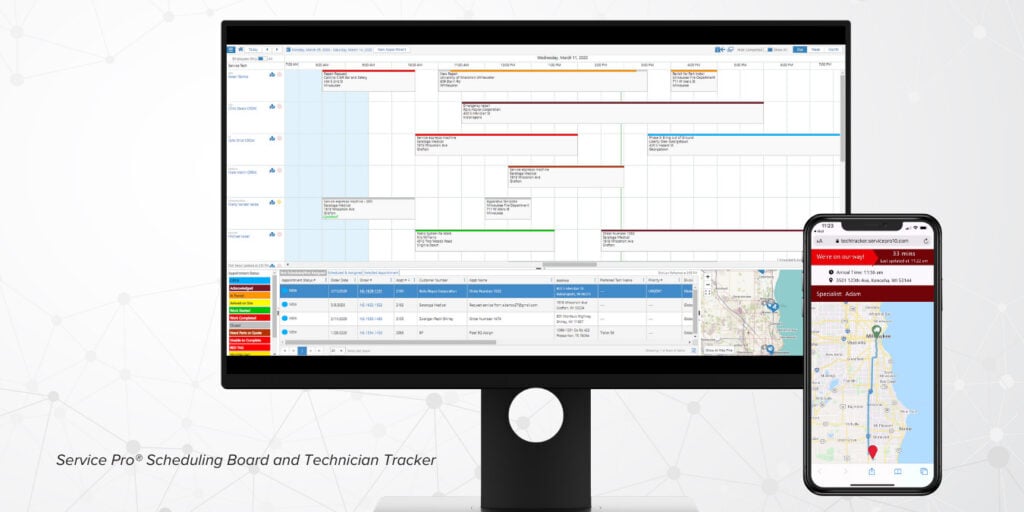
Technological support is huge for field service companies, especially for scheduling and dispatching processes. Intelligent and AI-powered solutions help ensure the right technician gets matched to the right job with accuracy.
These solutions are excellent at analyzing and filtering technicians by skill level, certifications, location and proximity to other jobs, parts and inventory, and Service level Agreement, or SLA, urgency. These solutions do not replace excellent back office staff, but enable them to operate more efficiently and fact-check instead of spending minutes finding and manually qualifying each detail. Add-ons like Service Pro’s Technician Tracker also allow customers to see live technician location and ETA’s that adjust in real-time.
All of these efforts will directly reduce travel time, travel delays, and repeat visits. Additionally, your dispatchers will be able to dynamically re-assign technicians when emergency work pops up, routing or re-routing technicians to the best jobs.
2. Route Optimization & Geo-Clustering
Many solutions today utilize a version of route optimization. This can look different by solution, but often includes intelligent or AI-powered routing. Optimized routing with gps visibility enables a lot of helpful features for service companies: grouping nearby jobs, sequencing the best order of jobs, traffic information, and more. Minimizing extra miles allows for more calls per day for more billable hours and increasing technician utilization. Solutions can also have the ability to cut no-shows and account for rerouting to keep technicians working active jobs.
3. First-Time-Fix Readiness (Pre-Job Kitting)
One of the simplest ways to boost First-Time Fix Rate is ensuring your vehicles and technicians are prepared. Mobile field apps help set up your workforce for success with:
- Pre-dispach checklists cover required tools, parts, firmware, access codes, site notes, and hazards
- Full service histories allow techs to review critical details and past service occurrences
- View preventative and recurring maintenance service contracts
- Acces photo and video capture from previous appointments and add new ones
Prepared technicians produce higher first time fix rate results, opening up more availability for billable time.
4. Paperless Workflows and Admin
No more wasting time hunting for the right work order in a pile of papers in the footwell of your service trucks. Digital field service solutions allow for completely paperless operations in the field and back office. On job sites, technicians can complete digital workflows, checklists, timesheets, and invoicing tasks on thier mobile devices to smoothly complete work and transition data directly your ERP—no clipboards in sight.
Reducing end-of-day admin starts in the field with options to add photo and video materials, collect customer signatures, and document part usage on-site, before techs even get in the truck. Paperless processes support same-day billing and automated invoice creation for lighter loads on your entire team.
5. Centralized Data & Integrations
Offering digital mobile field service abilities is great, but it’s only an advantage if your entire back office and ERP can receive and make use of that data. Connecting all systems together digitally allows service orgs to establish a single source of truth that cuts down on wasted time in all operational areas. With mobile field apps like Service Pro Mobile, field data automatically syncs to your back office and ERP. If technicians are in a dead spot, the app will continue to function offline and will upload data once back in range. This connection goes both ways; send key items back to the field instantly to keep technicians focused on billable tasks and less time wasted waiting for customer, asset, warranty, and inventory answers.
Effectively cut down on time spent manually uploading data and errors with integrated solutions. ERP-agnostic field service solutions offer an advantage as they support multiple native ERP integrations versus an ERP that offers field service capabilities. High-quality solutions will offer additional connection options through APIs to remove the barrier between a focused field service solution and the business systems you already trust. It’s a win-win.
6. Inventory Accuracy & Truck-Stock Control
Upkeeping an accurate and organized list of vehicles, supplies, and equipment is a critical step to keep your technicians focused on the job instead of risking a truck roll or repeat fix. Utilize real-time parts inventory per warehouse and vans with serialized parts, and establish minimum and maximum thresholds that move with your demand and seasnonality. Take it a step further and leverage predictive solutions to determine demand year-round based on your business and maintain an accurate and cost-effective stock.
7. Preventative & Predictive Maintenance Cadence
Field service solutions with integrated contract management help service companies transform from a less reliable break-fix model to modern preventative and predictive service models. Establishing contracts and preventative maintenance agreements is a huge driver of ROI that many companies miss out on. These contracts help stabilize and smooth out demand, reduce emergencies, and raise utilization predictably across the calendar.
Predictive solutions dig deeper into remote monitoring with advanced features. IoT sensors installed in a piece of equipment can ping back to the field service solution through APIs, creating automatic work orders or call for immediate service with consideration of the level of urgency. These abilities support PM contracts and technician utilization with accurate and timely alerts. Dispatchers can take these into account and get technicians on-site as soon as necessary.
8. Skills Matrices, Training, and Certification Tracking
The core of a healthy technician utilization rate is picking the right technician for the job. Service companies will encounter a wide variety of jobs that demand different skill levels and expertise and must be able to select the technician with the appropriate training. Even the most varied and skilled workforces can look like failures on paper if their talents are not properly assigned.
Solutions that offer advanced filtering allow dispatchers and schedulers to sort technicians based on skill level, required certifications, and level of training. From there, narrow down to geographical location and map the best route.
These systems can also be customized to prefer qualified technicians to make scheduling decisions even faster. If you’re still seeing holes, ensure that your workforce is cross-trained to reduce scheduling bottlenecks and create positive ripple effects down the line, from higher customer satisfaction to lower truck rolls and higher technician utilization. In Service Pro, training gaps can be tied to repeat visits and are visible via Business Intelligence.
9. Technician Experience: Tools, UX, and Safety
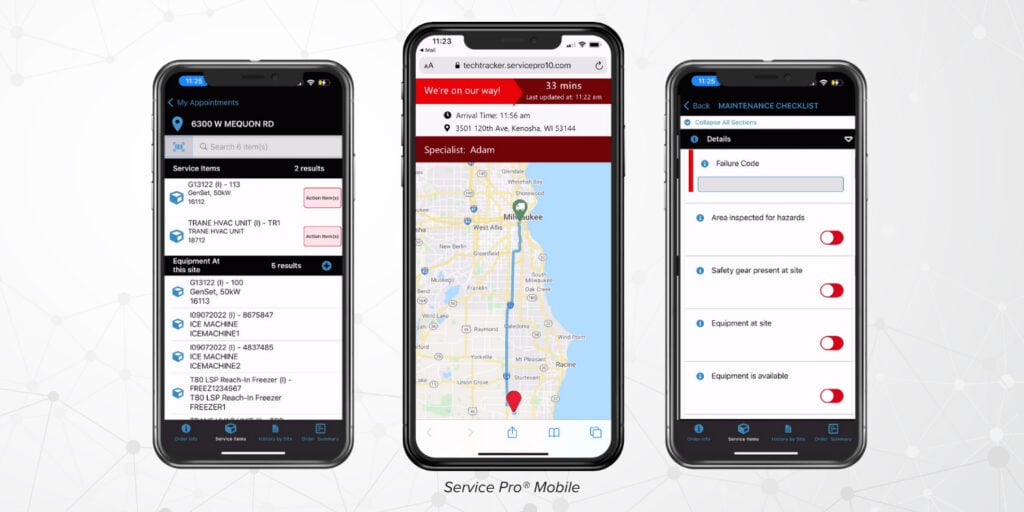
Even with a widley skilled and capable workforce, not every field service solution will be the right fit. Technicians that are trained on easy-to-use, intuitive field technology are more likely to adopt it into ther established workflows. What makes a field app that technicians want to use?
- A clean and simple UI
- Offline working mode to complete work in remote areas
- Workflows and checklists for PPE, equipment assessment, and more
- Fast and easy documentation options like photo and video capture
Adding mobile field technology should make work easier, not add extra steps. Selecting a solution with a short learning curve lets technicians do what they’re best at while expediting critical data to the back office instantly.
10. Customer communications, ETAs, and No-Show Reductions
A no-show customer makes all your effort feel wasted. What if your field service technology could dramatically reduce no-shows by automatically communicating with customers ahead of time?
Online customer portals offer customers a place to request service, review documentation, and see upcoming appointments. On the day of an appoitment, automatic SMS messages with real-time technician ETA’s keep customers in the loop and reduce forgetfulness and no-shows. Following up is just as easy. Send post-visit surveys to close out appointments and get timely feedback, impressing customers with your consideration and speed.
Sometimes, all a busy customer needs is a simple reminder. The cost and effort of setting up a customer communication process is a small price to pay for a happy, returning customer, hours of time and conflict saved, more reliable and dense scheduling, and higher technician utilization.
11. KPI Discipline and BI Dashboards
Measuring success in field service starts with choosing the right Key Performance Indicators. We’ve identified 11 core KPIs that apply to every field service organization, starting with:
- Technician utilization: determine if your workforce is being used effectively, or how much time is being spent on billable vs non-billable tasks.
- How to calculate it: billable time/ available time = utilization rate (%)
- First-time fix rate: determine the impact of truck rolls and return appointments. Boost with better preparation, ensuring inventory accuracy, and real-time customer communication to mimimize no-shows.
- How to calculate it: # of orders without return trip/# of total orders
- PM on-time completion rate: determines your success at servicing preventative maintenance contracts.
- How to calculate it: # of PM word orders completed on time/Total # of PM work orders
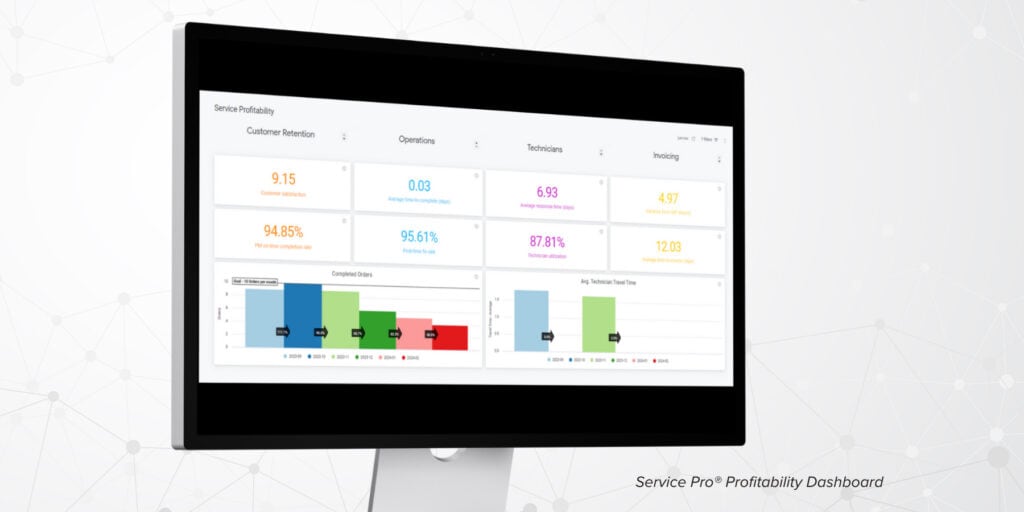
These are just a few of the KPIs every field service organization should be tracking. To learn more about what KPIs your organization should be tracking, how to track them, and why the matter, explore our free guide series: Part 1, Part 2, and Part 3. Drilling into KPIs is easier with dashboards and data visualizations. Within your field service solution, ensure you can create unlimited data visualizations and custom dashboards that focus on the KPIs you care about most.
12. Load Balancing & Day-Ahead Planning
What’s the optimal window of time to plan schedules in advance? For most service organizations, a day ahead is a standard amount of time to rebalance schedules, with the exception of preventative maintenance agreements and recurring work. Refining schedules with a 24 hour advance window helps reduce idle patches and overtime spikes.
Additionally, offering service level agreement (SLA) tiering helps align custom service and budget needs with technician availability.
13. Continuous Improvement & Feedback Loops
Customer communication supported by your field service technology platform helps close loops internally and externally.
- Customer to Technician: end automatic post-visit surveys through email to give customers an opportunity to share their experience and allowing you to follow up any any outstanding issues.
- Technician to Back Office: leave notes, photo and video, and service history for back office stuff and future service technicians.
Use feedback and reassessment of notes to refine checklists, inventory, and training.
14. Compliance, Documentation, & Audit-Ready Trails
Maintaining compliance is critical for highly regulated industries like like healthcare, electrical/utilities, and manufacturing. Your field service solution can help you organize and prepare for audits and compliance reporting with clean digital records.
Keep photos, timestamps, checklist, signatures, location information, inspection histories clean and organized to make audits smoother. Organized information keeps crews moving and minimizes back-and-forth and potential disputes later.
Unlock Higher Technician Utilization with Service Pro
Boosting your technician utilization is one of the many areas Service Pro by MSI Data can help you improve.
Service Pro is built for the equipment-centric provider in the industrial and commercial spaces. Our platform is equipped to handle your exact service needs wether you have 15 or 1,500 technicians.
Service Pro has you covered with field service KPIs, intuitive schedule & dispatch, intelligent routing technology, business intelligence and reporting, and our offline mobile field app.
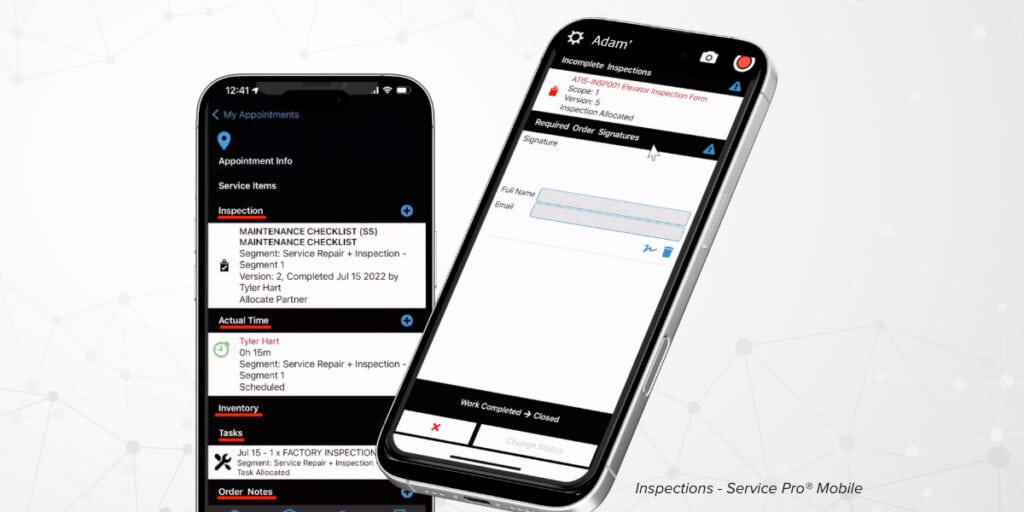
Getting the right technician to the right job at the right time is the key – don’t make the lock more complicated by using paper based and manual processes.
Technology is your ticket to field service success in 2026 and beyond. Get your journey started with a free software demo here.