The world of field service management technology is only continuing to grow. For some still using manual operations, this is a scary thought; the rise and speed of adoption of Artificial Intelligence shows a strong demand for a tech-forward society, and the huge investment in advertisements, user conferences, and sponsorships at trade show events are giving FSM technology organizations more and more attention. With so many technology options all vying for your business, how do you make the right choice?
Every service business is unique, and has different combinations of industry, occupational, and compliance needs that the right field service management solution must support. If you’re reading this blog, it means you’re doing your research, and that’s good – let us show you our research on why Service Pro is the best option for equipment-centric service companies in over 15 industries, and where other similar solutions fall short.
Why Businesses Choose Service Pro
So why is Service Pro a best-of-breed field service management solution and the right choice for the commercial and industrial equipment-centric service market?
As a purpose-built platform, our differentiators speak for themselves.
Service Pro’s core differentiators are:
-
- Our ERP-agnostic and best-of-breed technology approach (you get the greatest depth of expertise and the clean slate for ERPs)
-
- Our integrated field service management platform (check out our integrations and partners here)
-
- Our user-friendly mobile experience (including offline capabilities, inspections, service history, and more)
-
- The proven process and approach we follow to support our customers (our 100% US-based team is here and ready to assist you)
-
- Our people (“That’s kind of how we made our decision…it was the people”. – Service Pro Client)
Check out this video from Service Pro customer, Total Industrial Air, on why they choose Service Pro:
Case Study: Total Industrial Air and Service Pro by MSI Data
Advantages to Agnostic & Best-of-Breed Technology
When you choose a technology partner, you are choosing more than just the tech itself. You’re also choosing a partner that will impact your long term success.
Service Pro’s approach to providing the right level of value is unique to each client we work with, just like we will for you. We take an agnostic approach to integrate into your existing technology stack while also fitting into existing workflows and service processes.
We trade the vague promise of “customizations” for true “configurations” as we align your processes, procedures, and uniques with our best-of-breed field service management technology platform. From how a work order is created (and where it’s created), to scheduling and dispatch, through a true mobile experience for your technicians, to job completion – we are here to serve you and your clients.
Why choose a best-of-breed solution? If a customer wants the best possible field service management experience, a best-of-breed partner will beat out the all-in-ones every time.
A true best-of-breed technology partner should do one thing and do it well, and Service Pro’s core focus is field service management. Nothing more, nothing less, just pure quality and focused experience. All-in-ones are known for casting wide and shallow nets, and a shallow experience and depth of expertise is what you’ll find.
Through both our agnostic and best-of-breed approach we allow our platform to integrate or connect to any system or device that your organization requires through the robust Service Pro APIs. We know we’re not the only technology our customers need and use, but we can extend the value of the existing technology stack. From ERP or Accounting systems, to CRM, to IoT or remote monitoring devices, you can expect that Service Pro will compliment and extend the experience for your service organization in order to provide the best possible offering for your end client.
Learn more by reading our recent guide: Choosing Field Service Software: All-In-One vs Best-of-Breed
Integrated Field Service Management Platform
Reducing the amount of technologies that your service team uses is just as important as reducing the amount of touches a single work order goes through from creation to completion. With a technology solution, supporting comprehensive workflows such as the lifecycle of a work order or service appointment is absolutely critical. Don’t skimp on pieces of this – ensure your full work order process can fit within the field service management platform that you choose.
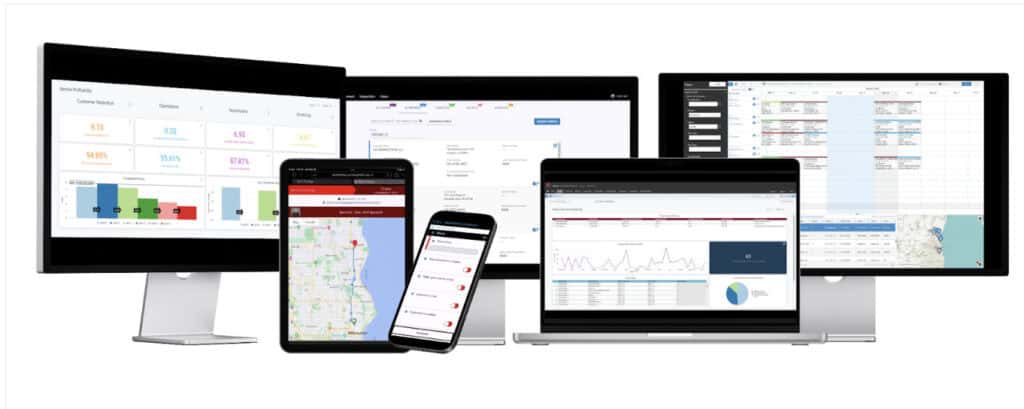
Service Pro’s platform offers a truly integrated experience that will not only tie into your existing technology stack but also ensure that you have a unified experience between back office and your field technicians. Too often do we hear of service organizations that are using disparate technologies to fulfill the full order lifecycle. Some may be using an Outlook calendar to plan and schedule, texting and phone calls for dispatch, an application like Dropbox or a fillable PDF for note capture, and manually taking those notes to create a work order summary deliverable. Our question to those folks is WHY? You don’t have to do that anymore. Service Pro can take care of it all.

Service Pro’s Back office and Mobile Experience
Service Pro’s back office solution will ensure your service team can:
-
- Create service quotes and work orders
-
- Manage contracts or preventative maintenance agreements
-
- Leverage inventory and parts within your warehouse or truck
-
- Schedule, dispatch and route your appointments
-
- Analyze and review key performance indicators (KPIs)
-
- Communicate between other 3rd party technology systems
Service Pro’s mobile experience will enable your field team to:
-
- Track time and labor to the job or the day
-
- Capture notes and complete inspections
-
- Take pictures or receive customer digital signature
-
- Access service or equipment history
-
- Capture additional revenue opportunities
-
- Create new work orders on the fly
These are just a few of the capabilities of the robust Service Pro Platform that our team will deliver to help you gain visibility into your service data so you can maximize your field service profitability.
User-Friendly Mobile Experience
A core component to any field service management platform is the mobile experience they offer for the field technicians, or your “profit makers”. Skipping this or not heavily investing in the usability and configuration options is a big miss. Don’t get caught up in the bells and whistles or fancy User Interface – stick to what matters.
The Service Pro Mobile experience is a true mobile application, which means that it can be found on all major operating systems app stores. This allows for the mobile application to keep your technician going even when working in a remote area with no service – your techs will never miss a checklist item again, regardless of connectivity.
What goes around comes around – Field technicians are busy and booked, and complicating their process will not help your KPIs. Technicians need simple and clear workflows built for them in their mobile application. The best workflows include digital forms to capture needed information, access to service history and equipment information, the ability to capture and mark up images of the work being performed, and the ability to capture their time and labor. When your technician has the tools they need to get their job done, they are happy, and in turn, so are your customers are happy.
Proven Process & Approach
Yes, the technology and capabilities are important – we know that and it is very true. What seems to be overlooked or challenged more and more is after you’ve made the purchase: the implementation. Now this project will range from 3 months of commitment to over 10 months depending on the complexity and configurations, but if you picked the right partner with the right process, it should be easy. (And if it’s not, you picked the wrong partner! If this sounds like you, you’re on the right website – tell us what you need here.)
Service Pro by MSI Data has deployed 100s of customers on the Service Pro Platform over the years and the proven process our team follows is what gets customers implemented properly, trained, and supported upon going live.

Upon partnership execution, ensuring you have the proper internal handoff to the project team sets up the group for quick success. Our process goes as follows:
- Engage: our team sits with the customer to map their processes (Business Process Review) into the technology platform, identify the right data points, and make a plan.
- Drive: we begin with configuration of the customers secure and hosted environment and initial data integration. This portion of the project can at times take more time than desired if a customer has unclean data within their existing technology systems. The motto “bad data in, bad data out” is very true here and one we discuss throughout the sales process with our client prior to purchase.
- Enable: here our customers get their hands on the technology through User Acceptance Testing for feedback and early tweaking. We also discuss how we can further support their internal change management plan as we start to look at training and enablement.
- Convert: in the exciting final stage, we bring the customer into the Service Pro platform. They will meet their dedicated Account Manager as well as our support team. Between end user training and supporting documentation of their desired processes and workflows, the convert phase is definitely the most exciting for all.
Over years of implementations and go-lives, our process has changed and grown, but one thing that has stayed true is that customers who engage and lean in to the project have the biggest successes.

People
While it may seem overused and cheesy, it’s true. The people who make up the Service Pro by MSI Data team are the reason our customers love and stay with our field service management solution. With our customers having a dedicated Strategic Account Manager, access to 24/7 support, and an Executive Sponsor to support them, they are prepared and supported as they find field service success.
Post-completion is where the value of a good partnership starts to really shine. Our focus turns to supporting our customers as they drive for results. This could come in the way of time savings, cost savings, revenue gains, efficiency gains, or all of the above.
From an open office culture in downtown Milwaukee that hosts office parties, offsite workshops, and much more, we have lots of options to support our people and thriving culture. We organize regular reviews with our customers on a quarterly or bi-annual basis to focus on key metrics outside of the day to day, making sure we are laser-focused on their goals and vision for their future. To aid in this journey the Service Pro team also hosts an annual user conference, SPUC (Service Pro User Conference), where customers travel from all over the world to spend a few days together learning, sharing, and creating better user experiences on Service Pro.
After all, the word “best” is in the name: our best-of-breed FSM solution and the people who run it are truly the best choice for your service business.
Hear for yourself: The Best Part of Working at Service Pro by MSI Data
Service Pro Software Competitors and Alternatives
1. ServiceTitan
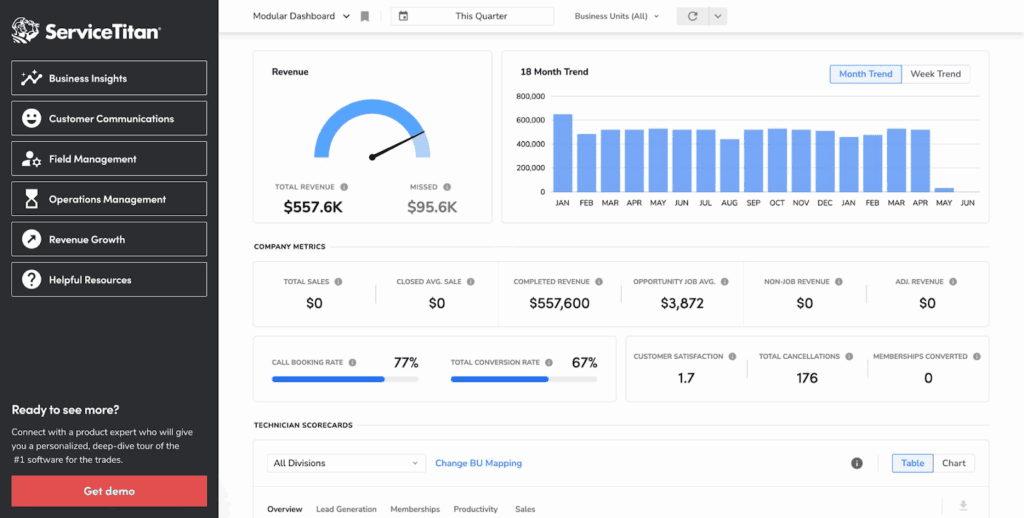
ServiceTitan is an all-in-one solution that focuses on residential contractors through marketing all the way to finance, serving companies with 10 to 100 technicians.
ServiceTitan Key Features & Differentiators
Key features and capabilities of the ServiceTitan platform include:
- Dispatching and Scheduling: Automated tools, custom tags, schedule optimization, and capacity planning tools.
- Marketing: Data-driven marketing tools, ROI tracking, and advertising reporting.
- Reporting: KPI tracking, contractor monitoring tools, and CSP scorecards.
- Integration Capabilities: Intacct and QuickBooks integration.
ServiceTitan Pros
ServiceTitan customers enjoy:
- Consolidated technologies
- Scalability and many basic features
- Great integration offerings
ServiceTitan Cons
- Steep learning curve, too complex
- High subscription cost
- Poor ongoing support model
ServiceTitan Pricing
ServiceTitan does not publicly disclose specific pricing or pricing models on its website. In order to provide pricing you must contact their sales team for a tailored quote due to their many modules and components of the all-in-one offering.
2. FieldEdge
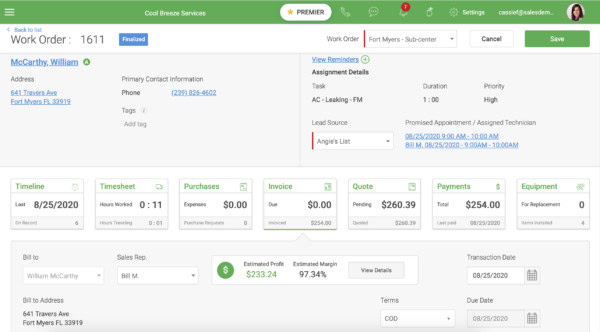
FieldEdge is a field service management platform primarily used by smaller residential service providers in industries such as HVAC, plumbing, and electrical trades.
FieldEdge Key Features & Differentiators
- Dispatching: assign technicians based on equipment age and skill level
- Payments: their integrated payment solution, Xplor Pay, allows for payment processing in the field
- Quickbooks integration: their Platinum Partnership status with Quickbooks integrates with FieldEdge and Xplor Pay
- Flat rate pricing: their catalog helps technicians provide consistent pricing
Field Edge Pros
- Deep Quickbooks integration and Platinum Partner status
- Rick mobile app
- strong focus on HVAC
Field Edge Cons
- Outdated and occasionally glitchy experience
- Reliability concerns with the mobile application
- Limited payment options (Xplor Pay only)
Field Edge Pricing
FieldEdge does not publicly disclose specific pricing or pricing models on its website. In order to provide pricing you must contact their sales team for a tailored quote.
3. NetSuite Field Service Management
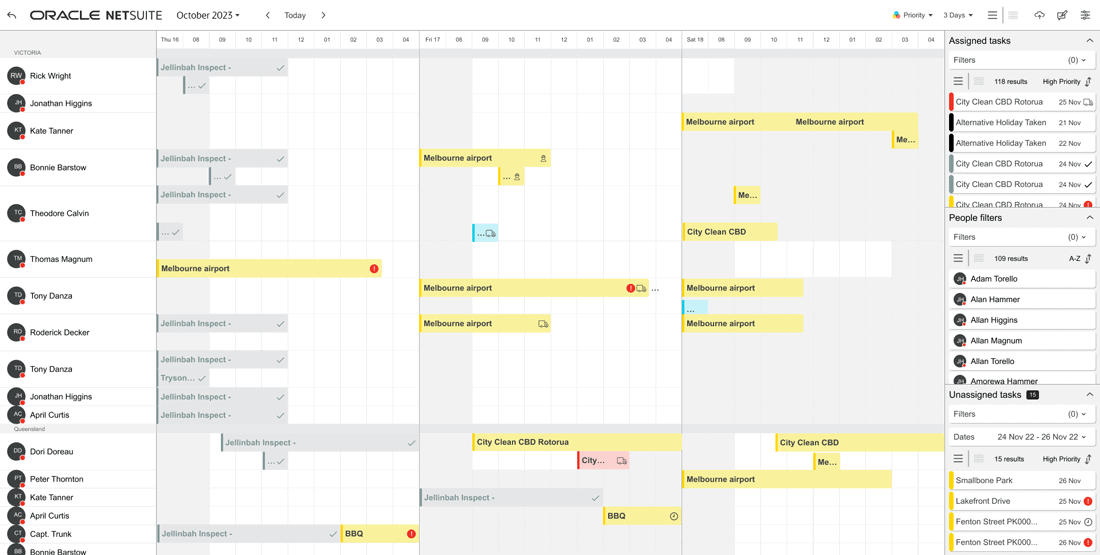
NetSuite Field Service Management was added back in 2023 through their acquisition of NextService, a native field service application. It’s a cloud-based enterprise FSM built within the NetSuite technology stack that supports equipment and maintenance companies.
NetSuite Key Features & Differentiators
NetSuite’s key features include:
- Purpose-built for NetSuite users: the NetSuite customer base will get the biggest value, as it is built on top of the NetSuite platform
- Unified approach: modular applications allow for scheduling, dispatching, a web application, and more
- Centralized data: all data is conveniently housed in NetSuite for reporting
NetSuite Pros
- Native to NetSuite
- Eliminated need for external integrations
- Enhanced customizability
- Real-time job costing
NetSuite Cons
- High cost barricaded by purchase of NetSuite ERP and support tiers
- Licensing rules and subscription model make it a poor fit for smaller organizations
- Long and complex implementation
- Web app instead of true mobile app
NetSuite Pricing
NetSuite FSM does not publicly disclose specific pricing or pricing models on its website. In order to provide pricing you must contact their sales team for a tailored quote. Note that you must have NetSuite ERP in place to purchase NetSuite FSM.
4. Salesforce Field Service
Formerly Field Service Lightning, Salesforce Field Service is an integrated field service management solution built into the Salesforce platform. Offered as an add-on module to the Salesforce CRM, Salesforce FSM serves a wide range of industries (16+).
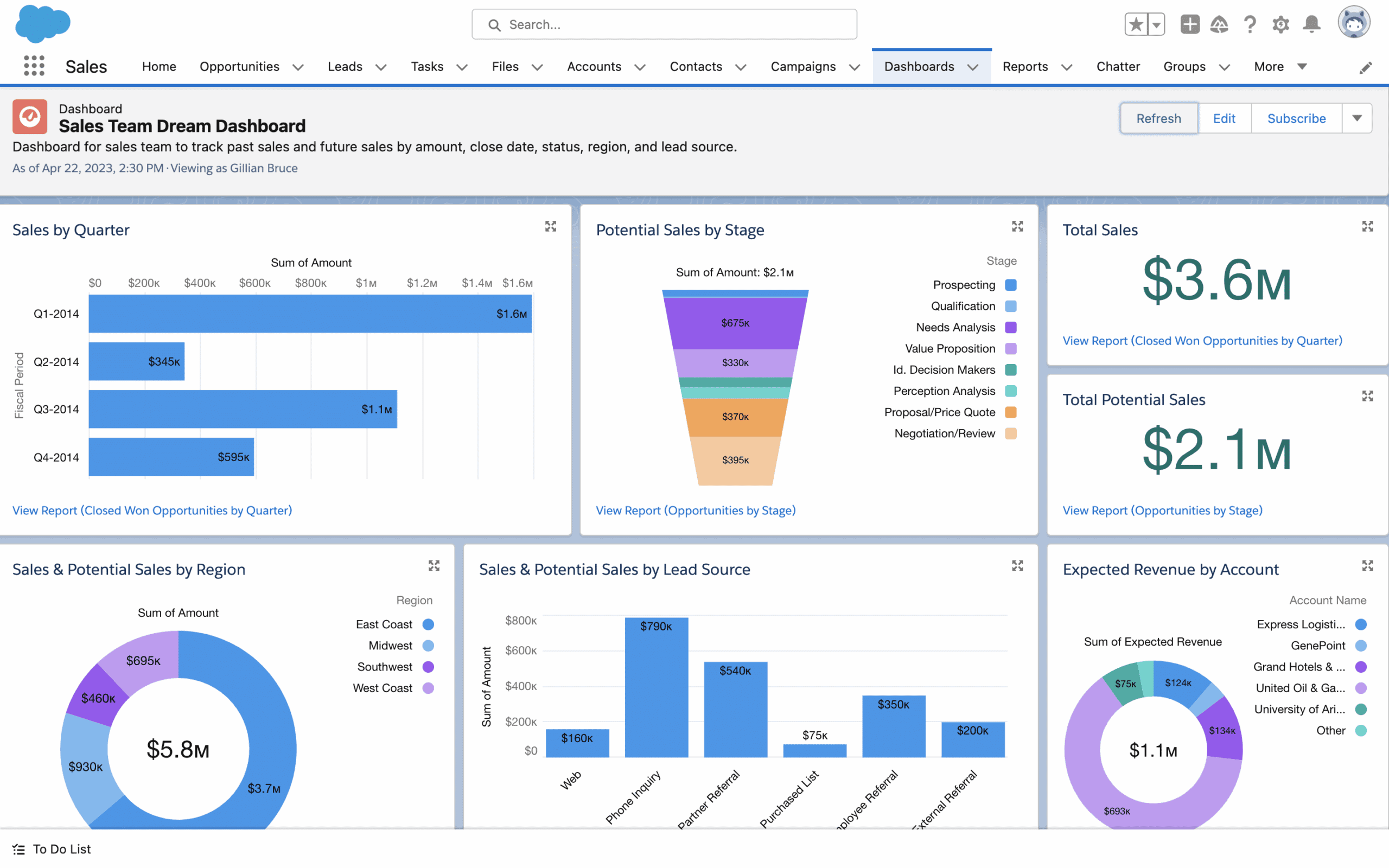
Salesforce Key Features & Differentiators
The top features of Salesforce FSM include:
- Native Salesforce CRM integration: Similar to NetSuite’s model, the biggest benefit here is to those who already use the Salesforce CRM.
- Solid scheduling and dispatching: users can schedule with advanced filtering options and real-time data to pick the best technician for the job
- AI-powered optimization: users can reduce travel time and ensure compliance with their Hyperforce AI
Salesforce Pros
- Native Salesforce CRM integration
- Scalability and customization options
- AI components
Salesforce Cons
- Significantly high cost
- Complexity and ongoing management of the module
- Data storage limits requiring additional purchases
Salesforce Pricing
Pricing is publicly available for Salesforce field service and reflect as:
Dispatcher – $175 per user/month
Technician – $175 per user/month
Contractor – $55 – $80 per user/month
Field Service Plus – $230 per user/month
AgentForce 1 Field Service – $650 per user/month
5. ServiceMax
ServiceMax is a field service management solution designed for equipment industries where asset management is critical. The platform offers tracking of equipment lifecycles from installation through decommissioning.

ServiceMax Key Features & Differentiators
Core features of ServiceMax include:
- Asset-focused approach: manage equipment, inventory and parts, and high value service agreements
- Scheduling and dispatch: assign technicians based on real-time availability, location, and skills
- Reporting and analytics: monitor key metrics like technician productivity, profitability, costs, and more
ServiceMax Pros
- Purpose-built for asset-centric companies
- Robust service workflows
- Deep Salesforce integration
- Mobile first design
ServiceMax Cons
- One of the most expensive upfront investments
- Occasional performance and stability issues
- Difficult configurability
ServiceMax Pricing
ServiceMax does not publicly disclose specific pricing or pricing models on its website. In order to provide pricing you must contact their sales team for a tailored quote.
How Service Pro by MSI Data Stacks Up Against Its Competitors
As you can see there are many options when it comes to investing in your digital journey with field service technology. While there are Service Pro software competitors, understanding what is important to your organization and your customers must remain top of mind.
The Service Pro Platform allows for service organizations to invest in a best-of-breed solution that is hyper focused on supporting the maturity and transformation of modern service teams.
The integrated platform that supports the entire lifecycle of a work order allows for a streamlined and optimal experience for all users. The hyper focus on field service and only that allows for all support and innovation to be centered around the service users: back office (or profit seekers) and the field technicians (or profit makers).
Here why one service organization leverages the power of the Service Pro Platform: Watch here!
While other FSM options have their niche fit being either an all-in-one (or jack of all trades) or unique fit for specific technology users as an add-on module within their solution you can find what you are looking for. When it comes to the right field service management platform you should focus on the capabilities and the partnership, don’t get caught up in the bells and whistles or significant marketing spend you see online.
While you’re looking for your field service management platform, make sure to look at Service Pro by MSI Data for a comprehensive and user friendly experience that is focused on being an extension of your team instead of a transactional technology vendor.
If you’d like to learn more or schedule time with one of our consultants – find us here!