Digital Inspection Form Software for Modern Field Teams
Streamline, standardize, and manage your field service inspections with Service Pro®, the top digital inspection form software.
Designed for field technicians and service teams, Service Pro® makes it easy to complete digital inspection forms, collect field data, and generate detailed inspection reports from anywhere. From safety inspections and maintenance audits to vehicle inspections and compliance checklists, teams can access everything they need directly from their mobile device.
Say goodbye to paper sheets and lost work order notes. With Service Pro®, it’s never been easier to transform your service operations, build long-lasting customer relationships, and rise above the competition.
Complete Inspection Form Software For Today’s Top Service Organizations.
Self-Service Form Builder
Take back control with the ability to build and maintain your forms.
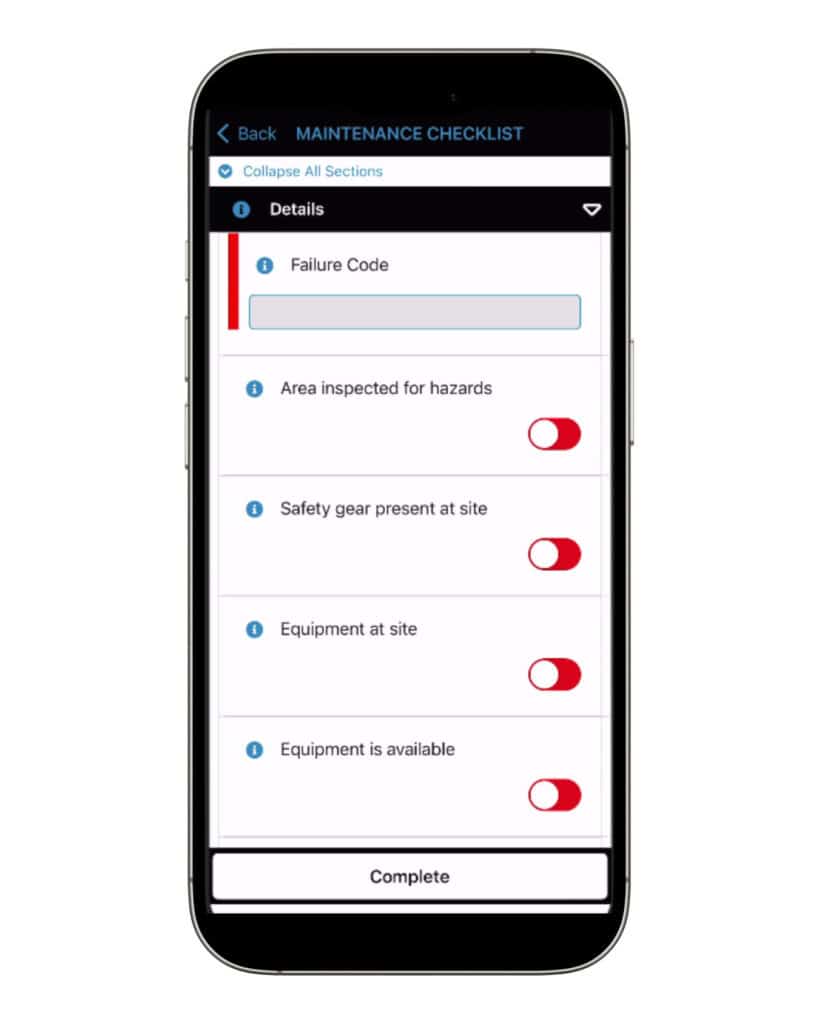
With Service Pro’s® easy-to-use form builder, organizations can create inspection forms tailored to their exact requirements. Using flexible question types, required fields, and a detailed notes section, you can be confident that the data you need is captured on every job.
Keep your technicians connected with a true mobile inspection app.
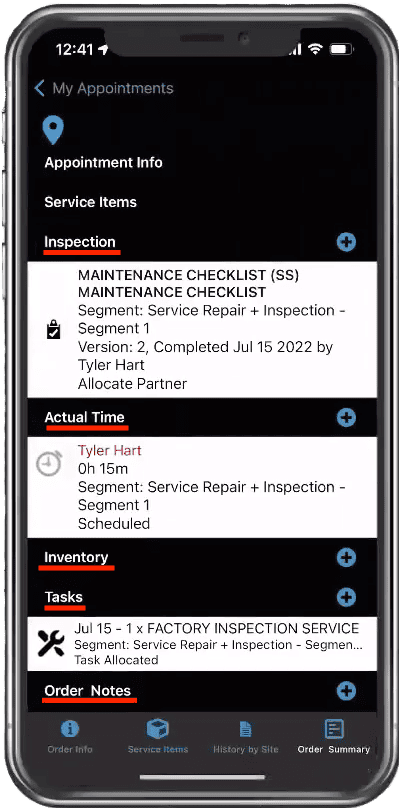
Too often, field technicians lose access to their inspection software in remote areas or locations with poor connectivity. Service Pro® Mobile puts an end to that. Technicians can continue to complete inspection reports, access inspection data, and perform field data collection, whether they are connected or offline.
“Anything I might need to know is readily available.”
With Service Pro® Mobile, your technicians can easily capture accurate inspection data directly from the field using a customizable digital inspection experience. Configure complete checklists, checkbox responses, radio buttons, and free-form answers to create inspection forms that match the way your organization works.
Your inspection process should fit within the mobile experience so you can capture the required inspection data within the palm of your hand. With Service Pro’s® connected mobile and back office experience, your data can be viewed from any seat, be it a truck or an office chair.
The mobile software is easy to use and reference while in the field and hosts a wealth of information that can be used in the field.”
Field Service Dispatcher, WPI
Industrial Equipment / Commercial Equipment
$2.9M
Claim recoveries in less than one year
The ability to take a call, easily troubleshoot and convert to a work order for an appointment to be scheduled has been amazing.”
Field Operations Manager, Total Energy Systems
Power & Energy Equipment
30% +
Increase in utilization of field technicians
We simply could not function effectively without Service Pro. Everything we need to do, it’s able to do.”
Managing Director, BTU Group
Mechanical Equipment
30% +
Increase in utilization of field technicians
The mobile application has been a game-changer, providing technicians with real-time access to job details, customer information, and service history.”
Director of Partnerships, Piedmont Door Solutions
Fire, Life & Safety Equipment
1-Time
Data entry with our integrated platform
Frequently Asked Questions
Quick Answers To Questions You May Have.
Why is Service Pro the top-rated inspection form software solution?
Service Pro® by MSI Data is the leading field service software solution for asset-centric organizations that wish to gain visibility into their operations and maximize profitability. Our platform is purpose-built for the unique industry and operational needs of inspection-driven field service businesses. With seamless scheduling and dispatching, an offline-capable mobile field service app (Service Pro Mobile), customizable high-volume inspection forms, real-time visibility, and advanced reporting and analytics, Service Pro delivers the structure and capabilities organizations need.
What is inspection form software?
Inspection form software is a digital solution that allows technicians to perform, document, and submit inspection data directly from a mobile device. Replacing manual or paper-based workflows, digital inspection forms streamline the inspection process by making it easier to complete checklists, capture photos, collect measurements, document field data collection activities, and generate reports in real time.
What are the key features of Service Pro’s® inspection form software?
Some of the critical features of Service Pro’s® inspection form software are the ability to self-service and customize your forms. This can be tied to customer requirements, manufacturer standards, equipment type, or specific inspection process needs. It’s up to you. Other key features include offline mobile access for field technicians working in remote areas and flexible data fields for more accurate inspection data collection.
What are the benefits of using digital inspection form software?
Using this type of inspection software allows for a boost in technician productivity by reducing paperwork, travel time, and delays associated with manual reporting. It also helps ensure the accuracy and timeliness of inspection results. The ability to report on inspection results is another major advantage, allowing organizations to track trends, support safety inspections, identify upsell opportunities, and improve overall service performance through more accurate field data collection.
Chat with one of our experts to see how Service Pro can transform your business. Discover the key to thriving in your industry—let’s write your success story together!