The Backbone of Today’s Service: The Work Order Template
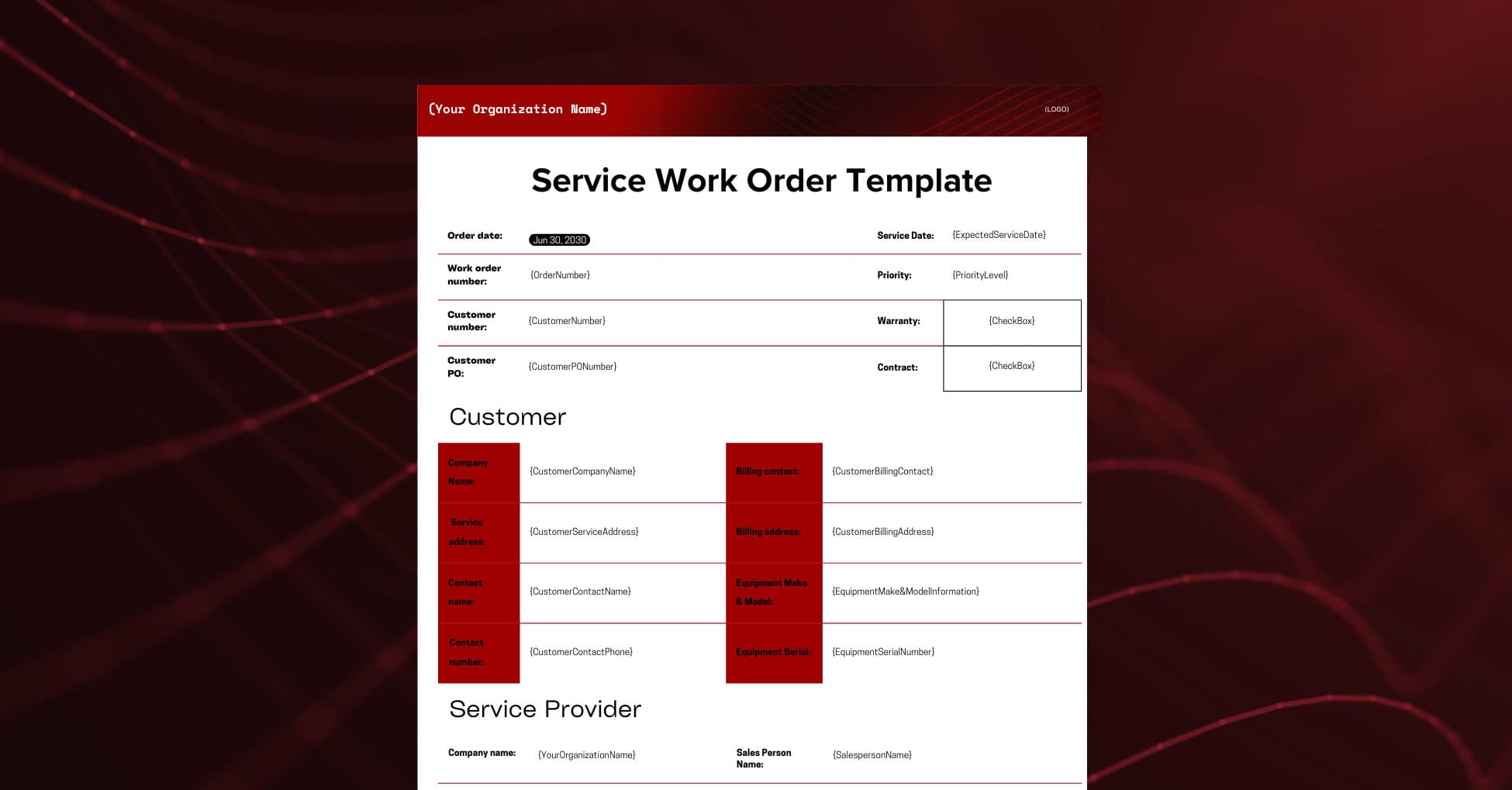
Any modern service organization is leveraging some symbol of a work order template. This can look very different company by company but all contains critical information around the customer, the job, and the investment required. A work order template should be used to document and capture the needed information to fulfill a customers service request, such as what piece of equipment needs service, what the issue potentially is, where is the equipment located, etc.
Capturing critical information prior to performing service allows for:
- Proper planning of schedule and route
- Accurate parts and inventory planning
- Customer preferences and requirements documented
- Review of equipment service history and/or warranty information
- Confirmation the customer approves the work for fast payment
How to Download and Use Your Work Order Template
Let’s get started!
A comprehensive work order kicks off the process to ensure a high quality customer experience. As we mentioned, the backbone of your service is the document where the process all starts: work order template.
Your entire service organization depends on an accurate and complete work order. Your backoffice will leverage this to document the request to appropriately plan and dispatch the job to a field technician. Your technicians will depend on this document to ensure they have the right parts, tools, and knowledge to get the job done right, the first time – ensuring a positive customer experience.
You can download the work order template by “CLICKING HERE TO DOWNLOAD IT FOR FREE”.
This template will allow you to capture details that are critical for your office and techs:
- Customer, site contact, and purchase order information
- Your company and contact information
- Equipment information
- Job information
- Parts and required labor, hours, and other charges
- Warranty or contract information
- Recommendations or upsell opportunity information
- Customer agreement & signature
This document has been made available in PDF, Word, & Excel formats to allow for quick and easy use. This will help your staff gather and document important information to ensure you have the right technician, the required parts, and the right plan to complete the service work for your customer.
Now lets get into how to use this template so you can not only get the document but understand how to get started today!
For example purposes, we will use the excel template to help walk you through the path to filling this out.
First, lets get your Company Name and Logo on the document so your customers will see your branding as the first piece of this document when you provide them a copy.
Next, let’s gather some critical information around the customer, service location, contact information, and equipment details.

The important aspects captured within this section are basic but critical to ensure you service the right address and upon completion of the work the invoice is directed to the correct address to receive timely payment. Also, understanding the Make, Model & Serial allows for proper service planning, parts availability, and ensuring an experienced technician is available to service the equipment.
Understanding if there is an active agreement or a warranty on the equipment also will set you up for success on how you invoice upon work completion & if there is any warranty claim that must be submitted on time. Usually if there is a warranty claim their is a process for the OEM/Manufacturer that you have to follow.
*Keep that in mind if warranty comes up with your service department. You do not want to lose out!
Now, lets capture our information to ensure we properly tie the salesperson to the Purchase Order to receive credit. This can be a way to audit sales when annual reviews come up or simply as you look to pay a variable compensation component if that is a part of your plan offered. The other important piece captured here is if there is a requested technician or a specific person who has the certification or experience to work on the equipment. Planning for this in advance is not required, but does help with scheduling, routing and dispatching for service.
Take a look:

Now that you’ve captured the basics around the customer, equipment information, and service organization, we can dig into what the actual service request is in regards to. This can come as simple text that is taken down either over the phone, from an email, or through a customer portal. Understanding what the job is and the type of service that is required, you as a service provider can properly plan to deliver the right level of service to the specific situation.

Capturing the description from the customer is critical and while you always wish you had more information, even a brief description (such as the above) can be helpful. Types of service vary by provider but as you can see this example is for a break/fix or reactive service where a contract or warranty is not involved.
The more questions you can ask of a customer around their service, the more prepared you can be to provide the right level of support.
So, now lets put a quote together for what parts will be needed to address the situation & how long do we project/budget that it will take (time/labor). The parts can be tough to plan out if you have little to no details on the situation or it can be simple with templated part requirements per job type. This differs service organization by service organization but being competitive while providing top quality service is the best path forward.

Ok, so we have the parts, labor, and total to ensure we have a planned work order with the right information. The technician can either use this information to pull the parts and items needed or if you have a resource internally who helps support your technicians this can be done on their behalf.
Many times technicians tend to have spare parts of heavily used items right on their truck in case more is needed to complete the job. The alternative is costly, rolling another truck because you missed something or didn’t have what you needed to get the job done.
What else?
Another area we encourage folks to look into either pre-work or during the work while the technician is onsite is recommendations. This is really an opportunity to grow your service visit as long as you’re already sending a technician to that job/location. The customer may ask for something while you have someone onsite or your technician can use this as an opportunity to offer suggested additional work. Here is an example of the customer sharing a potential additional need as long as the technician will be onsite already.

An area more and more service organizations are moving is to have their field technicians offer suggested work while their onsite to the client. This can help open new revenue opportunities as well as offer the client a savings to service additional equipment versus paying for another trip charge. Win-win!
So, lets get the customer to agree and sign off on this work to move forward. This can be done with a simple phone approval (documented on sheet) or could be done through email as well as a digital signature technology. There is no wrong way to capture this information but there is a best practice – through technology.

Now, our customer agreed to the Work Order, awesome! Using our work order template, you were able to easily capture the required information to properly service your client and hopefully turn them into a repeat customer.
This is a starting point and can only take you and your service team so far, but it gets you on the right path. With that said if you want a fully digital and integrated platform to transform your field service operations, Service Pro by MSI Data is your “suggested” next stop!
Would you like to see Service Pro in action? Schedule your free platform demo where you can see exactly how the Service Pro Platform could transform your service organization and take you to the next level!
Frequently Asked Questions
What is a work order template?
A work order template for field service is a pre-designed, standardized document that serves as a framework for creating work orders. These forms are designed to be assigned to and completed by a field technician.
What’s the purpose of a work order template?
The core purpose of a work order template is to provide a standardized, reusable framework for creating and managing service jobs, which directly leads to increased efficiency, consistency, and better service quality. WO templates ensure that all necessary information for a specific job is accurately captured.
How can Service Pro® help businesses streamline work order tracking?
Service Pro® by MSI Data is a comprehensive field service management (FSM) software designed to automate and digitize the entire work order lifecycle. It helps businesses streamline work order tracking by replacing manual, paper-based, or fragmented systems with a single, integrated platform.