
Quality work orders change the way customers see your business. You can come across as professional and organized, or incompetent and scammy. Who would you rather hire – a company whose work orders are clean digital records that provide organization for trackable and billable work, or scribbles on a crumpled ball of paper that sat in the footwell?
Paper or manual process may seem easier, especially for smaller companies. But when concerned customers call and their work order information is nowhere to be found, your company name is spoken alongside words of disappointment, and shiny, new vans appear in your competitor’s parking lot, it’s time to find a better solution.
Successful service companies trend away from paper altogether and choose to implement work order software. Work order software is a great choice for companies that need an efficiency boost and want interactions with their customers to reflect professionalism and ease. Keep reading for the 2026 shortlist of the 9 best work order management software solutions on the market today.
What Is Work Order Management Software?
Work order management software is digital software that manages the lifecycle of a service work order from call to completion. Key features to look for are:
- Call management
- Inventory and parts tracking
- Contract management
- Digital quoting
- Mobile field technology integration/compatibility
- Inspections
- Reporting and analytics
- Digital payments or integration with external payment solutions
- Competitive pricing
- Customizable workflows, forms, processes, etc.
- Audit-ready trails
.
To determine success, watch for outcomes like:
- Clear and organized information from field to back office
- Consistency across jobs: standardized and customizable templates
- Faster billing cycles and turnaround time
- Increased visibility across the board
- Increases in customer satisfaction
Let’s get into which solutions have the features you need.
The Best Work Order Management Software in 2026
Service Pro® by MSI Data
Best for equipment-centric field service organizations
Service Pro® by MSI Data is a field service solution for industrial and commercial service providers who prioritize equipment repair and maintenance. As a best-of-breed solution, Service Pro’s focus is on depth of expertise and exclusive high-quality offerings. The Service Pro platform covers all essential functions of a field service operation, including schedule & dispatch, reporting & analytics, customer connection & support, offline mobile field technology, contract & call management, and work order management. Service Pro delights customers with depth of expertise, specificity, and attentive and welcoming support.
Key Features
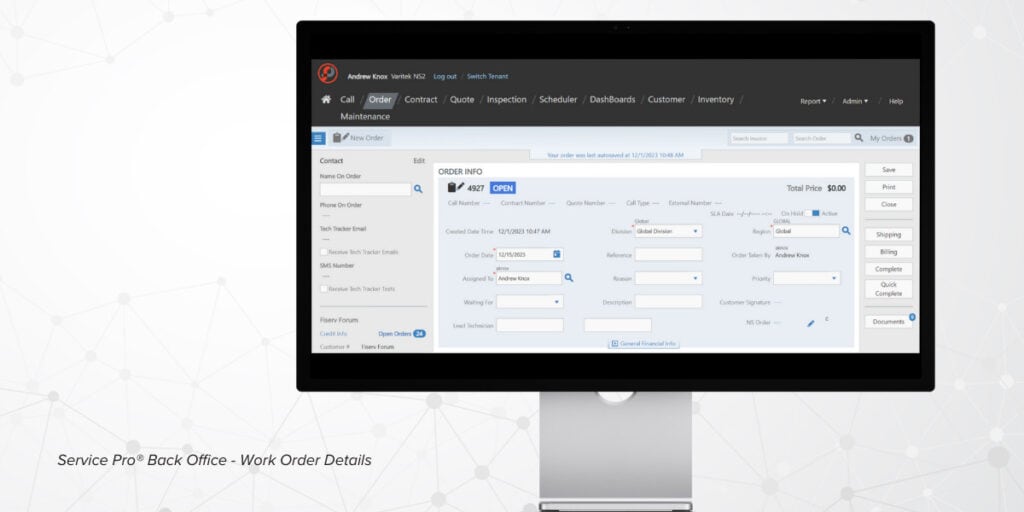
- Back Office – optimize, build, and monitor:
- Calls: convert service calls directly to work orders
- Service contracts: preventative maintenance and recurring revenue
- Inventory: see who has access to which inventory for quick decisions
- Quoting: convert quotes to work orders with one click
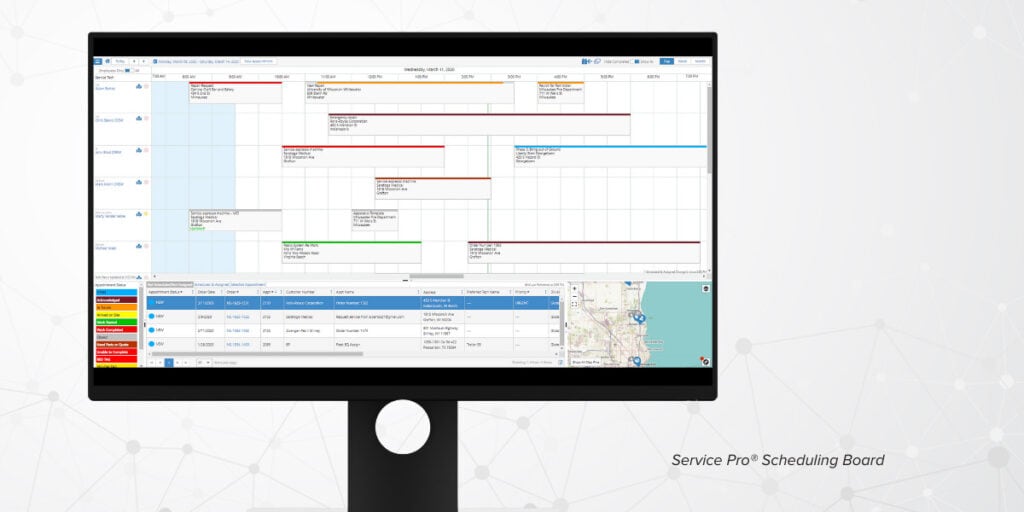
- Scheduling – get the right technician to the right job at the right time with:
- Color-coded, drag-and-drop scheduling board
- Filtering options by technician, branch location, experience, certifications, and skill level
- Real-time map view of active technicians, appointments, and equipment
- Configurable work order status to see scheduled, in progress, or completed work
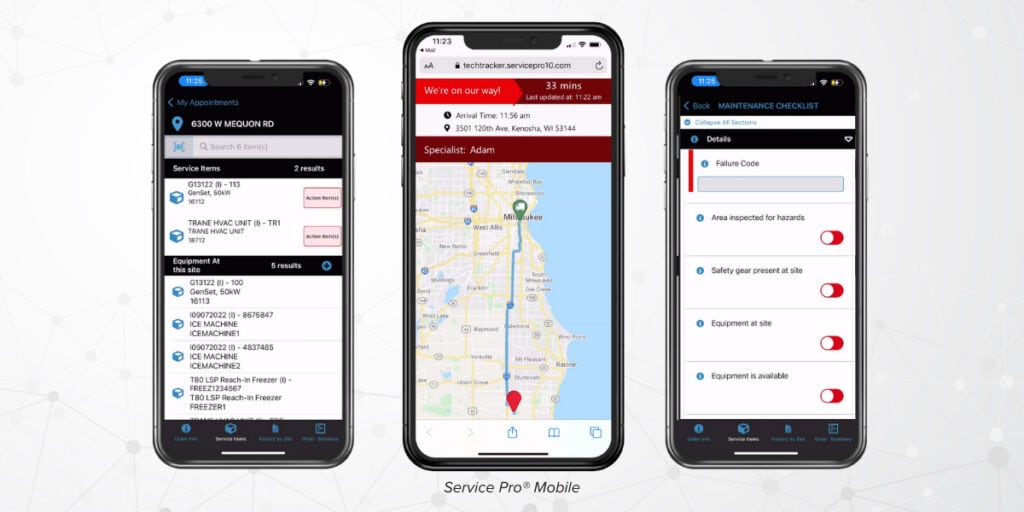
- Mobile Field Service Technology – equip your field team with:
- True mobile experience: a real app, not a web link
- Offline capabilities: techs can complete work with or without service – complete now, sync later
- Customizable digital forms and paperless inspections
- Capture photo, video, and digital signatures
- Access equipment history and past work orders
- Advanced Reporting – capture, digest, and act upon data:
- Industry and set real-time KPIs
- Create unlimited visualizations of your collected data
- Analyze individual technician performance, view trends proactively, and identify potential problems before they impact your customers

Pros
Pros of Service Pro by MSI data field service software include:
- Extensive work order capabilities from field to back office
- 100% field service focus
- Best-of-breed solution: solving pain points with specific, deep functionality
- ERP-agnostic: able to plug into your existing business systems and ERP platforms
- Supportive: helpful implementation and friendly, 100% US-based support teams
- Visibility: unlock never-before-seen visibility into your service operations
- Profitability: maximize your entire organization’s profitability under one platform
Explore more for yourself with a free demo – click here.
Pricing
Service Pro offers customized pricing tailored to equipment-centric service organizations, and follows a subscription model. We have an annual recurring subscription cost which is per user and an implementation (or implementation & integration) fee as a part of our offer.
Interested in a pricing conversation? Chat with us here. In the meantime, try out Service Pro’s ROI calculator to see how much money you’re leaving on the table every month – the result will surprise you.
Why We Recommend It
When it comes work order software, the depth and capability of Service Pro’s work order capabilities separate it from its competitors. The platform simplifies every step of the work order process, from converting incoming calls and quotes into work orders, visibility into work orders when scheduling, access into past work orders and easy completion of digital forms while in the field, and back office billing plus reporting from field data.
By combining a digital work order process with the additional features of the Service Pro platform, users can experience greater efficiency and visibility across their whole organization. One of the best parts of the Service Pro platform is its modular customizability – don’t pay for add-ons you know you won’t use. However, for those who are interested in expanding their software, training and support are always available with Service Pro’s 100% US-based team.
.

2: MaintainX
Services manufacturing, asset-based, and retail & facilities companies
Overview
MaintainX is a Computerized Maintenance Management System (CMMS) for asset-centric and frontline operations, serving several industries including manufacturing, food & beverage, automotive, retail, and facilities & property management.
Features
- Maintenance: AI-powered, preventative, and for facilities
- Planning and management: asset, work order, parts inventory, work request, vendor
- Resource planning and reporting
- Checklists, inspection, and industrial controls
Pros
- Mobile-first approach: friendly to mobile devices and field operations
- AI-integration: a modern take for multiple management needs and industries
- CMMS: this asset-specific system provides a streamlined digital workflow
Cons
- Experience can be cluttered and cumbersome
- Lacks some advanced options and has fewer customization options in comparison to competitors
- Pricing limitations: lower-priced tiers have limited functionality (ex. submitting requests without being able to generate full work orders without upping subscription)
Pricing
- Basic: ($0/month)
- Essential: ($20 per user per month)
- Premium: ($6 per user per month)
- Enterprise: (custom pricing upon request)
.
3: Limble CMMS
Best for mid-market teams in facilities management and maintenance environments
Overview
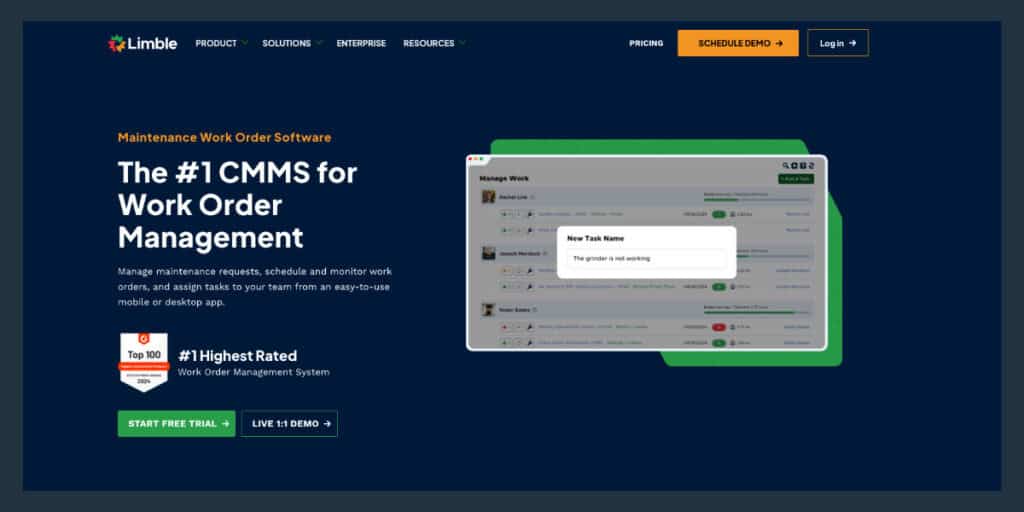
Limble is a CMMS with the goal of optimizing maintenance processes. The product boasts AI-integration and predictive maintenance abilities that enhance its other core offerings, including asset & work order management, spare parts inventory, reports & dashboards, and resource planning.
Features
- Resource planning & asset tracking
- Asset management
- Spare parts inventory tracking
- Work order management
- Predictive maintenance & IoT sensor integration
- Reporting & dashboards
Pros
- Mobile-first approach: friendly to mobile devices and field operations
- AI-integration: a modern take for multiple management needs and industries
- CMMS: this asset-specific system provides a streamlined digital workflow
Cons
- Slow workflows: some users may experience multiple clicks and/or slow loading times when uploading files
- Lack of depth: the software is not fully equipped to handle complex industrial assets and experience customizability restrictions
- Large learning curve: the breadth of the solution results in a steep learning curve and potential difficulties for less technical teams
Pricing
- Standard
- Premium+
- Enterprise
Additional pricing information is available upon interaction with an online calculator or request.
.
4: UpKeep
Best for small to mid-sized companies in safety industries
Overview
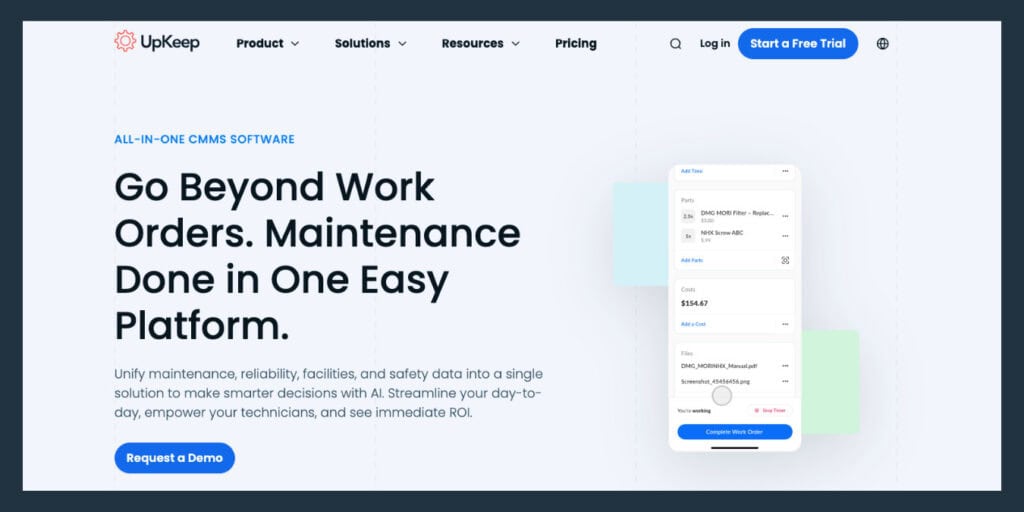
UpKeep’s core focus is on maintenance businesses and frontline maintenance teams. The CMMS is designed to simplify the maintenance work order process with its cloud-based, mobile-first features.
Features
- Work order management and work request portal for technicians
- Mobile-first design
- Preventative maintenance scheduling
- Extensive asset tracking
- AI-integrated reporting
Pros
- Less complicated options make it ideal for smaller commercial and industrial teams
- Ease of use: QR code and barcode scanning for simple asset and parts tracking
- Enable Nova, UpKeep’s own AI-driven product
Cons
- Shallow customization – unequipped for larger teams
- Rigidly structured sections can frustrate orgs seeking more customizability
- Self-guided setup can leave users confused or in need of additional help
Pricing
- Essential: $20/month per user
- Premium: $55/month per user
- Professional: (pricing available upon request)
- Enterprise: (pricing available upon request)
.

5. Fiix
Best for mid-market to enterprise organizations
Overview
Fiix is a CMMS designed for commercial and industrial spaces, with some configuration for residential property management. Operating primarily within manufacturing/production, energy/resources, transportation/distribution, and facilities management industries, Fiix offers centralized work order capabilities without the complexities of larger software platforms.
Features
- Create, complete, and record work orders
- Focus on maintenance
- Asset & performance tracking
- Parts and inventory organization, tracking, and purchasing
- Maintenance data collection & reporting
- Integrate with any ERP
Pros
- Deep reporting options: with pre-built reports and custom options
- Workflows that can be tailored to individual business needs
- System integration: ERPs, IoT sensors, and more for maximum connection
Cons
- Weaker planning tools with potentially limited functionality
- Level of complexity means a higher learning curve
- Tier feature limitations: high-powered analytics and AI functionality typically reserved for highest tiers
Pricing
- Free: $0 per user per month
- Basic: $45 per user per month
- Professional: $75 per user per month
- Enterprise: (custom pricing available upon request)
.

6. eMaint
Best for midsize to large companies in a wide range of industries
Overview
eMaint is a CMMS from Fluke Reliability designed for larger asset-centric companies that need enterprise-grade capabilities and tools. eMaint operates in the commercial and industrial spaces and is not designed for residential use. This solution serves a wider range of industries than most CMMS platforms, including government, education, fleet maintenance, and automotive.
Features
- Back office & mobile work order management
- Preventative maintenance scheduling
- Asset and inventory management
- Custom work order reporting options
- Connections to 1000+ apps
Pros
- Highly customizable across forms, work orders, workflows, and logic
- Handles enterprise-size demands: multi-site and global configuration with multiple locations, languages, and currencies
- Compliance focused: ingrained audit trails, e-signatures, and compatibility with fluke sensors and other IoT sensors
Cons
- Customization potholes: some specific areas lack the depth of confugartion fund elsewhere in the solution (ex. Bulk edits for scheduled work order forms and purchase orders)
- Higher cost: with the larger size and breadth of capabilities, eMaint maybe less affordable for smaller budgets
- Large learning curve: extensive options require more time on the uptake
Pricing
- Team: $69 per user per month
- Professional: $85 per user per month
- Enterprise: (custom pricing available upon request)
.
7: FMX
Best for small to midsize maintenance teams
Overview
The FMX software serves public-facing organizations including education (K-12 school facilities management, higher education/universities), state and local government, facilities management, religious organizations, and occasional commercial industries such as manufacturing. The software focuses less on work order management and more on task management, request intake, and performance tracking for facilities.
Features
- Maintenance, inventory, and invoicing
- Request management: cleanings, key & badge, marketing & communications, etc.
- Payment processing, powered by Stripe
- API & integrations: multiple types of sensor alerts
Pros
- Lots of tracking options for different facilities and educational sectors
- Easy adoption across teams, with intuitive portal and assignments
- Ideal for government and education environments: support for non-technical teams
Cons
- Does not prioritize work order efficiency over facilities and education tasks
- Mobile app not as developed as other solutions, can feel clunky and older
- Integrations with external payment platforms (Stripe) may slow down processes
Pricing
Pricing will be determined by number of users completing maintenance requests or number of enrolled students in K-12 schools, as well as desired features and add-ons. FMX also charges a one-time implementation fee, and monthly payments are available with auto-pay. More pricing information is available by custom quote.
.
8: Coast
Best for midsize commercial and public sector companies
Overview
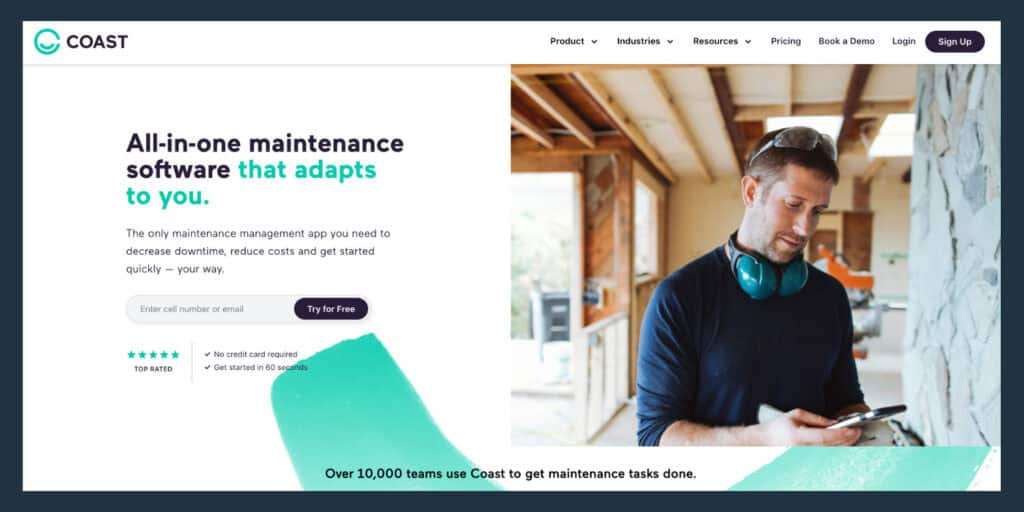
Coast is an all-in-one maintenance software for commercial organizations, with some potential industrial applications. The platform aids with maintenance across facilities, buildings, cities, retail & restaurants, hospitality & hotels, fitness, schools, and even construction and healthcare.
Features
- 3 central features: maintenance management, asset management, and operations
- Core maintenance features: work order management, preventative maintenance, parts inventory, checklists and inspections, and reporting
- Mobile maintenance app
- Vendor management
Pros
- Extensive maintenance proficiency
- Mobile-first approach: Windows, iOS, and Android compatible application
- Accessible customer support over phone, email, and in-app chat
Cons
- Smaller scale and less granular controls makes Coast less ideal for larger organizations, cities, facilities, etc.
- Shallow reporting and analytics within stock modules
- Can be cumbersome to start; need to manually tag hundreds to thousands of assets
Pricing
Coast offers 2 pathways to pricing at the time of publishing, each with 4 tiers:
- Maintenance Work Orders:
- Free: $0 per user/month
- Starter: $20 per user/month (marked down from $22/user with yearly plan)
- Pro: $49 per user/month (marked down from $54/user with yearly plan)
- Enterprise: (custom pricing available upon request)
- Team Scheduling & Chat
- Free: $0 per user/month
- Starter: $1.80 per user/month (marked down from $2/user with yearly plan)
- Pro: $3.6 per user/month (marked down from $4/user with yearly plan)
- Enterprise: (custom pricing available upon request)
.
9: Jobber
Best for small to midsize service teams in residential home service businesses
Overview
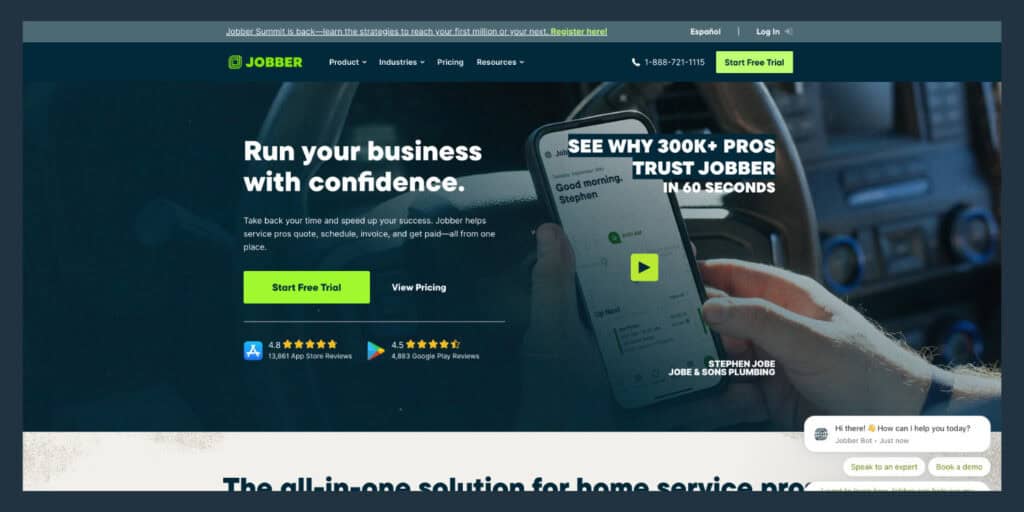
Jobber is a residential software solution for service teams with some potential overlap in commercial spaces (ex. Small offices or retail). The platform prioritizes the work order, invoice, and payment cycles, highlighting mobile and cloud-based capabilities for work completion in the field or back office.
Features
- Quoting: professional quotes, customization, automated follow-ups, and more
- Work orders: scheduling, forms, tracking, and invoicing
- Digital payments through Jobber
Pros
- Entire process from call to payment included in one platform
- Mobile-friendly design allows for extensive function in the field
- Variety of integrations from payment solutions to email software
Cons
- Limited granular functions for some workflows and complex projects
- Cost per user increases over 15: less cost effective than other solutions with flat rate pricing
- Lacks enterprise level reporting for larger teams or wider service areas
Pricing
Jobber offers 2 paths to pricing: individuals and teams. There are 2 payment plans within each path, monthly and yearly, with cost savings under yearly plan. (Teams pricing shows below for brevity.)
- Team Monthly:
- Plus: $450 per user/month (for a 3 month period)
- Grow: $262 per user/month (for a 3 month period)
- Connect: $127 per user/month (for a 3 month period)
- Team Yearly:
- Plus: $378 per user/month (for 12 months)
- Grow: $210 per user/month (for 12 months)
- Connect: $109 per user/month (for 12 months)
.
The Right Solution For You
At the end of the day, every service company looking for a digital solution needs software that fits their industry specialization and capability needs. There is no glass slipper out there that will work for every service org, but there are solutions that stand out with years of consistent success and expertise. Service Pro by MSI Data is that solution for asset-centric service teams with 50 to 1,500 technicians. Sound like you? End your search today and get your eyes on a free demo – click here to see Service Pro for yourself.