

Most field service operations are sitting on more data than they realize: GPS timestamps, parts usage logs, technician time entries, customer signatures, inspection results. It’s all being generated on every job. The problem is that for many organizations, that data is scattered across paper forms, disconnected spreadsheets, and siloed systems that don’t talk to each other. When data can’t be accessed or acted on, it stops being an asset and starts being noise.
The result is a familiar pattern: decisions get made on instinct rather than evidence, repeat dispatches go unexamined, and inefficiencies compound quietly across hundreds of jobs per year. If your operation is running on gut feel more than data, this guide walks through what field service data is, where it comes from, and seven practical steps for putting it to work.
What Is Field Service Data?
Field service data is the information generated at every stage of the service lifecycle, from the moment a customer submits a request through scheduling, dispatch, on-site execution, and post-visit follow-up.
That data takes many forms: work order records, asset service histories, technician location and time logs, inventory movements, customer satisfaction scores, and equipment inspection results. It spans both structured data like timestamps and parts counts, and unstructured data like technician notes and photo evidence. While bountiful, this data only creates value when it’s collected consistently, stored in a centralized system, and made accessible to the people who need it, when they need it.
How to Use Field Service Data to Improve Field Service Operations
To get the most out of your data, you need to know how to act on it. The seven strategies below form a practical framework for turning raw operational data into measurable improvements, starting with the infrastructure that makes everything else possible.
1. Invest in Field Service Management Software and Centralize Your Data
No data strategy works without a platform to support it. When service data lives in spreadsheets, paper forms, email threads, and disconnected CRM or ERP systems, it’s effectively invisible to the people who need to make decisions with it.
A field service management platform brings that data into a single source of truth, synchronizing customers, assets, warranties, inventory, pricing, and work order history so every stakeholder is working from the same information in real time. The core capabilities to look for include:
- Scheduling and dispatch
- Mobile work order management
- Inventory tracking
- Asset management
- BI dashboards
- Open integrations with your existing ERP, CRM, and accounting systems
Centralizing this data eliminates swivel-chair time, reduces manual errors, and gives stakeholders real-time visibility into what’s happening across the operation.
Service Pro by MSI Data is built specifically for this, centralizing the full service lifecycle in one platform with an open API that connects to the enterprise systems most field service organizations already rely on.
2. Use AI Scheduling and Skills-Based Dispatch to Reduce Waste
Dispatch decisions are data decisions. When assignments are made without visibility into technician certifications, equipment experience, parts on the truck, and proximity to the job, the result is avoidable waste: unnecessary travel, mismatched skill sets, and repeat visits that could have been prevented.
AI field service software replaces the manual scheduling shuffle with intelligent matching that factors in all of those variables at once. When a cancellation opens a slot or an emergency job comes in, dynamic re-assignment logic re-optimizes the dispatch board in real time so high-priority work stays staffed with the right technician. The practical outcome is shorter travel times, higher technician utilization, and fewer first-time fix failures caused by dispatch mismatches.
3. Automate Field Service Data Collection with Paperless Workflows
The quality of your operational data depends entirely on how it’s collected. Paper forms introduce transcription errors. End-of-day manual entry creates time gaps and missed details. Handwritten notes get lost or misread.
Digital forms, mobile checklists, photo capture, e-signatures, and automated time and geo-stamps close that gap by capturing data in the flow of work rather than after it. Service Pro Mobile supports this with guided workflows and offline capability for low-connectivity job sites, plus automated invoice creation that enables same-day billing directly from the field. When data collection is built into the workflow, the information your organization makes decisions from becomes far more reliable.
4. Evaluate Customer Satisfaction and Employee Performance
Field service data gives operations leaders direct visibility into two areas that most organizations only hear about when something has already gone wrong.
On the customer side, post-visit surveys, NPS scores, and service history analysis let you track satisfaction systematically rather than anecdotally. If satisfaction is consistently lower for a specific job type, region, or technician cohort, the data tells you exactly where to investigate.
On the employee side, field data enables objective performance measurement that goes beyond speed. Which technicians close jobs right the first time? Who generates callbacks? Who consistently exceeds time estimates? With that visibility, coaching and training decisions are grounded in evidence rather than impressions.
5. Use Predictive Maintenance to Smooth Demand
Reactive service calls are harder to execute well because the failure mode is unknown until arrival. Technicians show up without the right parts, diagnose under pressure, and often need to return. Predictive and preventive maintenance shifts the operation toward planned, predictable work that is easier to schedule, easier to stock for, and far more likely to resolve on the first visit.
IoT sensor data, equipment runtime thresholds, and historical failure patterns can feed automated PM work order generation, creating a steady cadence of proactive service that flattens demand spikes and reduces emergency dispatches. Pairing that internal data with industry benchmarks also helps operations leaders set realistic PM targets and anticipate seasonal demand shifts before they create scheduling pressure.
6. Track Key Field Service Metrics with BI Dashboards
Collecting data only creates value if you measure it with discipline. The metrics that matter most in field service operations include technician utilization, first-time fix rate (FTFR), mean time to repair (MTTR), travel time as a percentage of the workday, jobs per technician per day, callback and rework rate, and parts-not-available rate.
Cohort views by technician, territory, and service type reveal where bottlenecks are concentrated. Trend dashboards surface patterns before they become systemic problems. A team that monitors these consistently has a meaningful advantage over one that reviews them only after something breaks down.
7. Build Continuous Improvement Loops
Field service data is not a one-time project. It’s a feedback system, and the organizations that benefit most are the ones that close the loop consistently. Technician call notes, customer survey scores, callback patterns, and parts usage data should all feed back into refined checklists, updated stocking decisions, training adjustments, and smarter dispatch rules.
This is where the compounding value of data shows up. Each improvement cycle makes the next one more efficient. Post-visit surveys, BI trend analysis, and structured job documentation all contribute to an audit-ready trail that connects field activity to business outcomes over time.
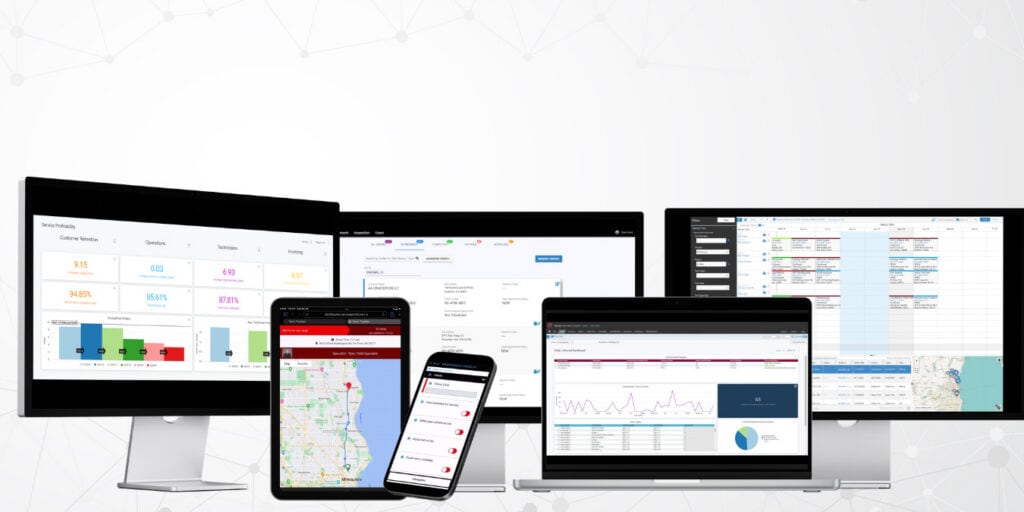
Improve Field Service Operations with Service Pro
Service Pro is a purpose-built field service management platform designed for complex, equipment-centric service organizations. It centralizes field service data collection across the entire service lifecycle and activates it through automated reporting, real-time mobile sync, and built-in BI dashboards.
Technicians work from a single mobile app with full offline capability, giving them access to work orders, asset history, digital checklists, and embedded documentation regardless of connectivity. The open API ecosystem connects Service Pro to the ERP, CRM, and accounting systems your organization already uses, so data flows across the business without manual reconciliation.
The results are measurable. Waukesha-Pearce Industries (WPI), a heavy equipment service provider with nearly a century in the industry, used Service Pro to convert their paper-driven operations into a fully digital workflow. After implementation, WPI reduced their average preventive maintenance lifecycle by more than 40% and realized seven-figure warranty recovery savings within less than a year, driven by the ability to capture labor and parts data in the field and sync it to the back office the same day. As WPI Field Service Dispatcher Jacob Yoder noted, when customers see how quickly technicians resolve issues and how much detail is captured in every service report, they are far more likely to return.
If your organization is ready to move from gut-feel management to a structured, data-backed operation, we’d love to show you what that looks like in practice.