

Field service work is won or lost the moment a technician gets stuck.
When a tech hits an unfamiliar issue, the traditional options are not great: guess, call the office, search a manual, or wait for a senior tech to call back. Any of those paths can turn a simple job into a delayed closeout, an escalation, or a repeat visit.
Service Pro AI is built for that moment. It helps technicians get to the next best step faster, using the documentation and knowledge your organization already has.
The Field Service Knowledge Gap
In almost every field service organization, technical knowledge is distributed unevenly.
Your most experienced technicians carry years of accumulated knowledge in their heads. They know what questions to ask, what to test first, and what patterns to recognize. They also know where the answers are buried when a manual is 200 pages long and the job is happening in a hot mechanical room.
Your newer technicians are still building that intuition. Which means they make more calls back to the office, take longer on unfamiliar jobs, and sometimes miss the root cause on the first visit.
This creates a hidden cost that shows up in multiple places:
- Senior technicians interrupted on their own jobs to answer calls from junior techs
- Slower job completion times when technicians are unsure what to check next
- Repeat visits caused by incomplete troubleshooting
- Customer satisfaction that varies based on which tech shows up
Training helps, but it takes time and cannot cover every scenario. Documentation helps, but no one wants to search a manual mid-job, especially when the pressure is on.
Service Pro AI is a different approach.
What It Looks Like On-Site
Here is a situation most operations leaders recognize immediately.
A technician is on-site. The equipment is not behaving the way the symptoms suggest. The tech has a hunch, but not enough confidence to commit. They can either:
- start swapping parts and hope they land on the fix,
- call someone more experienced,
- or spend ten minutes searching for the right section in the right manual.
Service Pro AI compresses that decision loop.
Instead of taking the long path, the tech can simply ask Service Pro AI their exact question right there on the job, getting an answer pulled directly from your manuals and service data. The goal is not to replace a technician’s judgment. The goal is to reduce the time between “I am not sure” and “I know what to check next.”
That matters because troubleshooting delays are not just a technician problem. They create operational drag:
- dispatch has to reshuffle schedules,
- customer success has to smooth over missed ETAs,
- and back office teams get stuck waiting on closeout information.
How Service Pro AI Supports Technicians in the Field
Service Pro AI gives technicians real-time answers from your organization’s technical documentation. That can include manuals, specs, troubleshooting guides, and historical job notes.
Rather than searching a PDF or calling the office, a technician asks Service Pro AI directly:
- “What should I check first on a compressor that’s cycling too frequently?”
- “What is the pressure spec after a valve replacement?”
- “This system is reading 47 PSI on the secondary line. What does that typically indicate?”
– Chuck Del Cielo, Service Manager
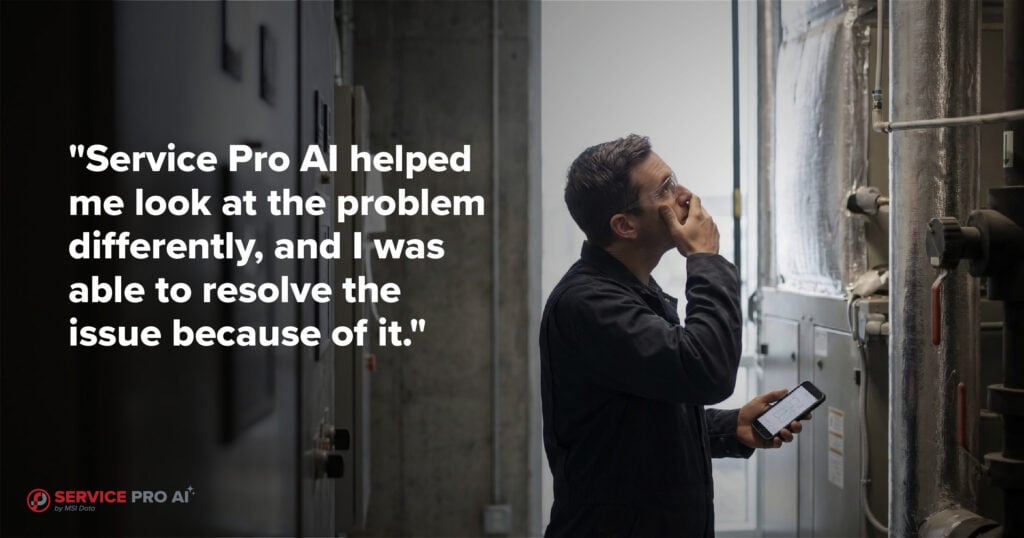
“Service Pro AI helped me look at the problem differently, and I was able to resolve the issue because of it.”
Service Pro AI returns a clear answer in plain language so the technician can keep moving.
Why the Service Pro AI approach is different from generic AI
Generic AI can be helpful for brainstorming, but it is risky in field service. You do not want confident answers that are not grounded in your equipment, your standards, and your documentation. Service Pro AI has access to your asset manuals, your standards, and your historical service data.
Service Pro AI is designed to be useful inside real service workflows. The aim is practical guidance, fast.
What you can expect it to help with
Most teams see immediate value in situations like:
- confirming the next diagnostic step when symptoms are ambiguous,
- recalling a spec or procedure without digging through a manual,
- surfacing prior job context so a tech can avoid repeating work,
- and helping newer techs build confidence with unfamiliar equipment.
The end result is simple: less waiting, fewer escalations, and faster resolution.
Three Operational Problems Service Pro AI Solves
1. The knowledge bottleneck
Most field service teams have at least one technician who fields calls all day. The person everyone goes to when they are stuck. That person is a single point of failure, and their day is constantly interrupted.
When technicians can get an immediate, accurate answer from documentation in real time, senior techs stay focused and juniors get unstuck faster. Over time, the entire team levels up because newer technicians are exposed to better decision patterns.
2. The retiring workforce problem
Across the industry, experienced technicians are retiring in significant numbers, increasing the skilled trades gap at an alarming pace. The knowledge they carry rarely gets captured in a way that newer technicians can use.
Service Pro AI helps preserve that knowledge by grounding answers in your documentation and historical records. The benefit is not just continuity. It’s leverage. You can support more work with the same headcount because fewer situations require a senior tech to drop everything and assist.
3. Inconsistent customer experience
Customers should not be able to tell the difference between your best tech and your newest tech. But they often can.
When every technician has either the knowledge or the access to real-time guidance, performance becomes more consistent across the team. That consistency shows up in fewer callbacks, clearer communication, more confidence on-site, and higher customer satisfaction.
How to Roll Out Service Pro AI Without a Hitch
New tools fail when they add friction. The goal is adoption through usefulness.
A simple rollout plan looks like this:
- Start with the technicians who feel the pain most. Typically, that is newer technicians and technicians who work a wide variety of equipment.
- Choose two or three high-frequency job types. Focus the initial training and examples on situations technicians encounter every week.
- Track outcomes that matter. Escalation volume, repeat visits, and time-to-close are better signals than vanity metrics.
The point is not to add a difficult system technicians have to learn. The point is to remove the friction that slows them down.
Request access to the free trial here.
Frequently Asked Questions
What does Service Pro AI pull answers from?
Service Pro AI is designed to surface answers from your organization’s technical documentation and historical context. It does not rely on generic internet searches.
Is Service Pro AI meant to replace training?
No. Service Pro AI supplements training by giving technicians a resource they can reference in the moment.
How is Service Pro AI different from searching a manual?
Searching a manual requires knowing where to look, parsing technical language under pressure, and extra time busy technicians do not have. Service Pro AI lets technicians ask questions in plain language and get specific, actionable answers quickly.
Will Service Pro AI help senior technicians too?
Yes. Senior technicians benefit when they stop being the default help desk for everyone else. Service Pro AI also helps them validate edge cases faster without breaking focus.