

If you’ve tried AI, and you’re not impressed, you’re not alone. Maybe you asked it a question, and it gave you a confident answer that was completely wrong. Or it pulled something from the internet that had nothing to do with your query. Or it just felt like a gimmick that’s being pushed on you.
That skepticism is healthy. And it’s exactly the right starting point for understanding what reliable, purpose-built AI looks like, and why Service Pro AI stands out.
Here’s the thing: most of the AI tools people have tried weren’t built for field service. They were built for the internet and basic use, like writing emails, summarizing documents, or answering general knowledge questions. These tools are evolving at an extraordinary pace, but it’s obvious they weren’t designed to handle the demands of a field service business.
The AI landscape right now is noisy and new. Vendors are making big promises, and it’s hard to sort the real from the hype. Chuck Del Cielo, one of our earliest Service Pro AI adopters and a Service Manager at a large nationwide power systems organization, put it best during a recent fireside chat: “Right now, we’re at the beginning of AI, just like the beginning of the internet. This is the wild west.”
If you tried AI a year or two ago and it let you down, you weren’t wrong to walk away. But that version of AI isn’t the whole story. There are trustworthy AI solutions out there that can not only handle, but also accelerate, your field service business.
In this post, we’ll walk you through how to find a solution you can trust: what separates reliable AI from the noise, what real field service leaders found when they tested it themselves, and 5 things to look for when evaluating field service AI solutions. The difference between generic AI and purpose-built field service AI is real, and by the end of this blog, you’ll know exactly how to spot it.
Why Generic AI Gets It Wrong in Field Service
Most of the AI tools getting attention right now were built for general use, not for a technician standing in front of a 10,000-horsepower compressor trying to figure out why a fault code won’t clear.
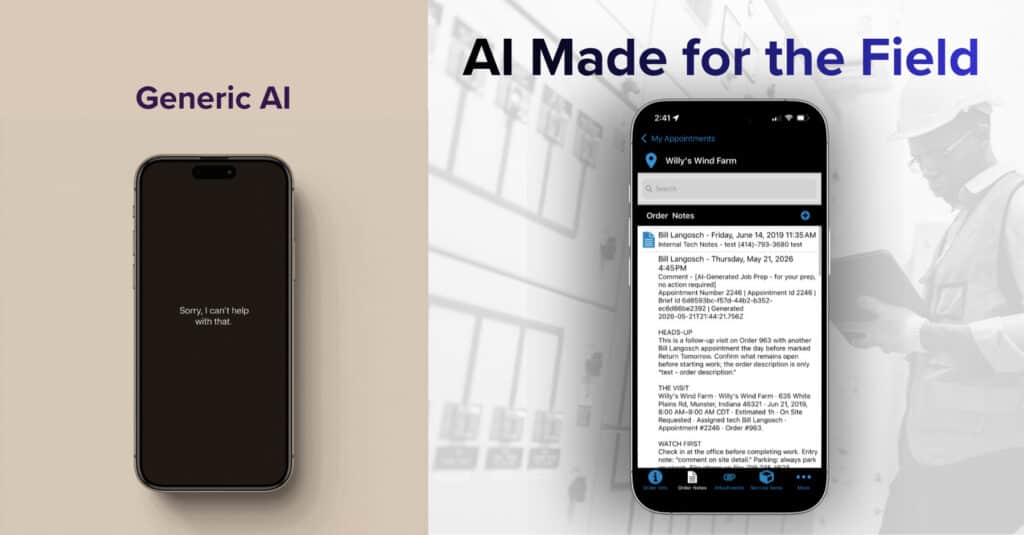
Tools like ChatGPT, Claude, Gemini, and Microsoft Copilot pull from the open internet. If your tech asked one of those solutions a troubleshooting question, the answer could come from anywhere: a forum post, an outdated manual, or a guess dressed up as a confident response. Is the ease of using a free, generic tool really worth the risk of a wrong answer and hours of unplanned downtime for your customer and thousands of dollars lost in seconds? We think not. And neither does Chuck.
Chuck Del Cielo, a Service Manager and one of our earliest Service Pro AI adopters, tested this directly. Fielding a troubleshooting call involving a reported injector fault, he ran the same scenario through both ChatGPT and Service Pro AI. ChatGPT told him to replace the injectors. Service Pro AI traced the real problem to a fuel pump on the same circuit, where a low-voltage issue was triggering the fault code. If the technician had gone with ChatGPT’s answer, they could have completed the wrong fix, made a wasted parts order, and created a frustrated customer. A single wrong truck roll costs anywhere from $175 to over $1,000. Multiply that across a team running dozens of jobs a week and the cost adds up fast.
There’s also the data privacy side. When you use a generic AI tool, your inputs can become training data for the AI model and by extension, your competitors. Your service procedures, your equipment expertise, your institutional knowledge, all out there for anyone to see. For companies where that proprietary knowledge is a competitive advantage, that’s a dangerous dealbreaker.
So if generic AI isn’t the answer, how do you know what to look for? And how do you tell the difference between an AI tool that’s actually built for field service and one that’s just marketed that way? That’s where it helps to understand what’s happening under the hood.
See a full breakdown of Service Pro AI vs. generic AI tools.
The Wild West of AI: Navigating Open vs. Closed Systems
Part of what makes this moment in AI so difficult to navigate is that not all AI is created equal, and the marketing often doesn’t help you tell the difference.
Here’s a simple framework for thinking about it.
Generic AI is trained on the open internet. It doesn’t know your equipment. It doesn’t know your service history. It doesn’t have access to your manuals, your SOPs, or the tribal knowledge your best technician has built over 20 years. When it doesn’t have a reliable answer, it doesn’t say “I don’t know.” It generates something that sounds plausible. In field service, that’s dangerous.
Closed, enterprise AI only pulls from data you control. It can’t answer with something it hasn’t been given. The answers are grounded in verified sources, specific to your equipment and your operations. If it doesn’t have enough information to answer confidently, it tells you that instead of making something up.
Service Pro AI is a closed system. Your equipment manuals, service history, SOPs, and knowledge articles are what power it. Not the open internet. Not your competitor’s data. Yours.
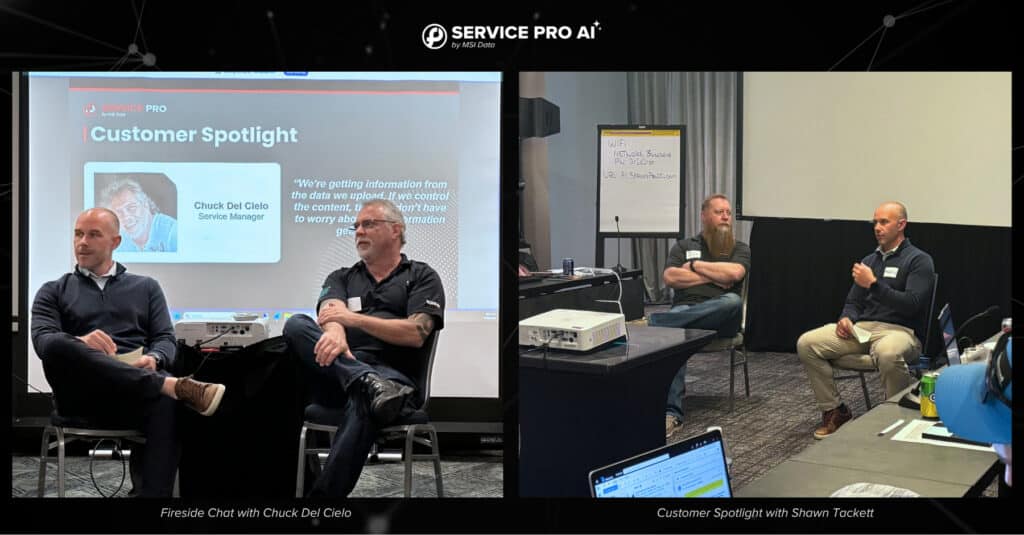
That distinction was a deciding factor for Shawn Tackett, Director of Houston Field Services at Relevant Solutions. His team had already been exploring AI options at a corporate level, including tools like Microsoft Copilot, before they committed to anything. Two concerns kept coming up: data security and practical value.
“We don’t want our information out there for public consumption. We wanted to ensure we’re not educating our competitors, but utilizing our own knowledge.” — Shawn Tackett, Director of Houston Field Services, Relevant Solutions
For a company that’s grown over 800% in five years, their proprietary service knowledge is part of what makes them competitive. Sharing it with a general-purpose AI model, which could theoretically surface it in answers to other users, wasn’t just a privacy concern. It was a business risk.
Read Shawn’s full customer spotlight here.
What Real Customers Found When They Tested It Themselves
Chuck and Shawn came at the trust question from different angles. Both landed in the same place.
Chuck’s approach was direct: he tested Service Pro AI against ChatGPT in the same real-world troubleshooting scenarios and compared the results. Service Pro AI identified the correct root cause. ChatGPT recommended the wrong fix. That wasn’t a one-off. It reflected something structural about the difference between a closed, grounded system and an open one that’s filling gaps with confidence.
Shawn’s team started with the data security question before they even tried the product or participated in the trial. They’d done their homework on other AI tools, understood the risks of open systems, and needed to know their knowledge would stay inside a system they controlled. Once that was established, they started using Service Pro AI to generate professional appointment summaries, and the results came quickly.
Tony Dulin, one of Shawn’s technicians at Relevant Solutions, described his first experience with it this way: “As soon as I made the first summary with Service Pro AI and saw how it formatted and how professional it looked, I really liked it. I was very impressed with that.”
That kind of technician buy-in doesn’t happen by accident. It happens when the tool actually makes their job easier without adding more friction to their day.
How Service Pro AI Is Built Differently
Here’s why Service Pro AI stands out:
Service Pro AI is grounded in your data. Before a technician gets an answer, that answer has to be traceable back to something you’ve uploaded and verified: an equipment manual, a service record, a knowledge article, an SOP. This way, you can have confidence knowing the answers Service pro AI gives you come directly from your approved sources, not an online guess.
That grounding shows up in a few specific ways across the platform:
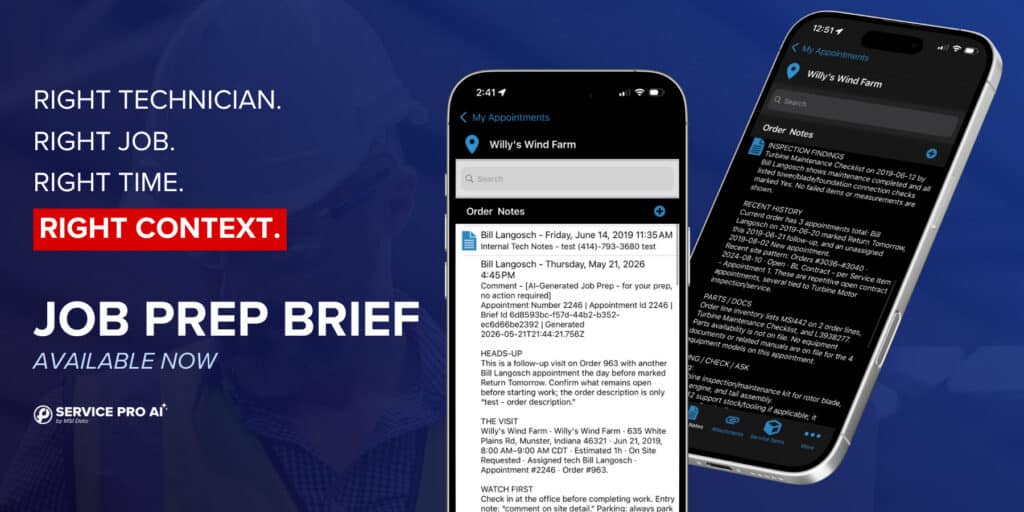
Job Prep Brief is the newest addition to the platform, and it directly addresses one of the most consistent complaints we hear from the field: techs showing up to jobs with no idea what they’re walking into. One hour before every scheduled appointment, Job Prep Brief automatically generates a pre-job summary pulling from the last five work orders, site notes, customer notes, equipment details, warranty and contract coverage, and inspection findings. It even flags anomalies, like appointments that have been sitting open unusually long or lapsed warranty coverage. No back office prep required. No buttons to push. It runs on its own, so your techs walk in with context every single time.
AI Technician Assistance gives your techs step-by-step troubleshooting guidance pulled directly from your own manuals and service history. Not a generic answer from the internet. Not a guess. The right answer for your equipment, from your data.
Service Report Automation takes what the technician captured during the appointment, including voice notes, photos, and service details, and generates a clean, professional summary automatically. No rewriting. No chasing techs for notes after the fact. Shawn’s team uses this daily, and it’s the feature that won their techs over.
It’s also worth noting what the setup experience looks like. You don’t need a complete knowledge base before you can get started. Features like appointment summary generation are ready to use on day one. And throughout the trial, MSI Data’s Forward Deployed Engineers work directly alongside your team to drive real adoption, not just log-ins.
Shawn framed the adoption process this way: “We’re essentially trying to train up an agent like building a new technician or developing a new employee as a subject matter expert.” That mindset shaped how Relevant Solutions approached the rollout and, according to Shawn, is a big part of why it worked.
How to Know If You Can Actually Trust an AI Tool
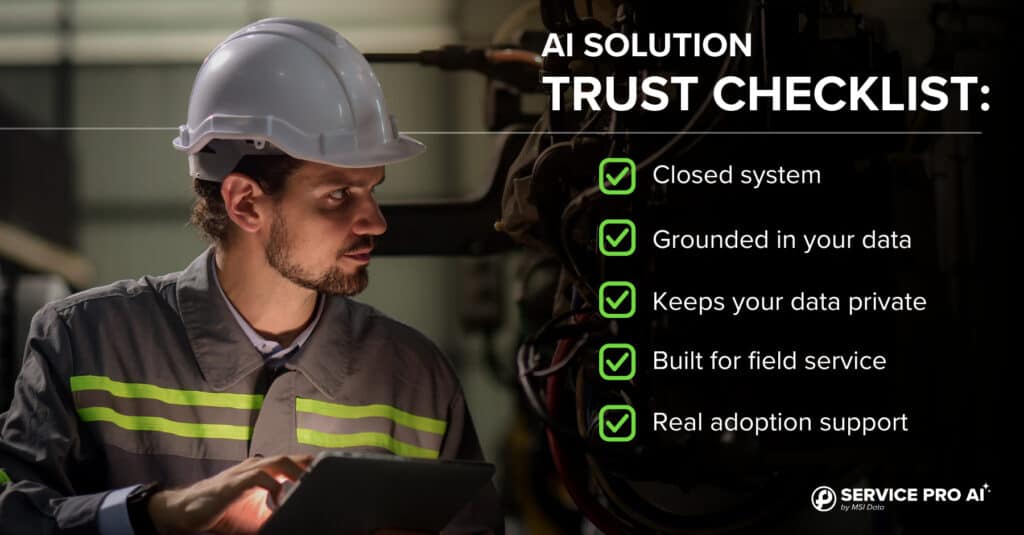
Not all AI vendors are upfront about how their systems work, and the marketing can make it hard to tell the difference between a tool that’s genuinely built for your needs and one that’s been repositioned to look that way. Before committing to any AI solution for your field service operation, here are five things worth checking.
- It’s a closed system. The AI should pull answers exclusively from data you control, your equipment manuals, service history, SOPs, and knowledge articles, not the open internet. If the answer could be coming from a random forum post or a competitor’s documentation, that’s a problem.
- It’s grounded in your data. Generic AI tools are designed to always produce an answer, even when they don’t have reliable information to draw from. A trustworthy AI tool like Service Pro AI is designed to stay grounded in your data and flag uncertainty instead of fabricating answers.
- Your data stays yours. Find out explicitly whether your inputs are used to train the model or shared outside your organization. For many general-purpose tools, they are. In field service, where your service procedures and institutional knowledge are part of your competitive advantage, that’s a risk worth taking seriously.
- It’s built for field service, not repurposed from another industry. There’s a meaningful difference between an AI tool designed for desk workers and one built around how technicians actually operate in the field. Look for tools that account for mobile use, hands-free workflows, equipment-specific troubleshooting, and the documentation requirements that come with field service work.
- You get real onboarding support. AI adoption fails far more often because of implementation than technology. Ask whether a dedicated team will work alongside yours to drive actual technician adoption, not just hand you a login and point you to a help portal.
Service Pro AI is built to check every one of these boxes. But regardless of which tool you’re evaluating, these are the right questions to ask.
Is It Time to Give AI Another Shot?
If your previous experience with AI left you unimpressed or burned, we understand why. There are a lot of tools making big promises right now. Not all of them are built to handle the data security and accuracy required when servicing complex equipment.
But the leaders who’ve worked through that skepticism, tested the tools, and asked the hard questions about data privacy, accuracy, and real-world fit, have landed somewhere different.
- Chuck tested Service Pro AI head-to-head against ChatGPT on a real troubleshooting call and saw the difference firsthand.
- Shawn’s team evaluated every concern they had about data security before they committed to anything, and their technicians are using it in the field today.
- Garrett Jobgen, General Manager at J4, put it as plainly as anyone has:
“There is value in using AI to assist in the field and that’s what we need. We need the context Service Pro AI provides, so we’re not starting from scratch with ChatGPT and trying to build a harness. We want something off the shelf that works and understands the whole interplay between the systems.” — Garrett Jobgen, General Manager, J4
That’s what getting over the trust hurdle actually looks like. Not ignoring the skepticism, but finding a purpose-built solution that earns its place in your workflow.
If you’re ready to see what that looks like for your operations, the best next step is to get hands-on with it yourself. The trial is high-touch, setup takes minutes, and our Forward Deployed Engineers stay with your team until you’re seeing real value. Not just a login and a link to a help portal.
Start Your Free Trial of Service Pro AI →
Frequently Asked Questions
Isn’t AI just going to make things up? That’s a real concern with open, generic AI tools. Service Pro AI is a closed system, meaning it only pulls from data you’ve uploaded and verified: your manuals, your service history, your SOPs. It answers from the manuals your admins upload — not from a guess pulled off the open internet. And when it doesn’t have enough information to answer, it tells you, instead of guessing. If it doesn’t have enough information to answer, it tells you that instead of guessing.
How is Service Pro AI different from ChatGPT or Microsoft Copilot? General-purpose tools like ChatGPT and Copilot pull from the open internet and are built to be broadly useful. Service Pro AI is built specifically for field service organizations and is grounded entirely in your own data. Chuck Del Cielo tested both on the same real troubleshooting scenario. Service Pro AI identified the correct root cause. ChatGPT recommended the wrong fix. That difference has real consequences in the field.
What happens to our data? Will it be used to train other models? Your data stays yours. Service Pro AI is a closed system. What you upload isn’t shared publicly, isn’t used to train models for other organizations, and isn’t accessible outside your own environment. For companies like Relevant Solutionsl, where proprietary service knowledge is a competitive advantage, this was a non-negotiable requirement before they committed to any AI tool.
What makes the Service Pro AI trial different? The Service Pro AI trial is a high-touch engagement, not a standard software handoff. MSI Data’s Forward Deployed Engineers work directly with your team throughout the process to drive actual technician adoption. Setup takes minutes, not months, and features like appointment summary generation are ready to use on day one.
Do we need to be an existing Service Pro customer to use Service Pro AI? Service Pro AI is built to work seamlessly with the Service Pro platform, and existing customers have an immediate advantage because their work history and service data are already there. If you’re not yet a Service Pro customer, reach out and we can walk you through what getting started looks like for your organization.
How quickly can we realistically expect to see value? Features like Appointment Summary can deliver value in under 10 minutes. The ROI grows as your knowledge base expands, but you don’t have to wait for it to be complete to start seeing results.
Ready to see what Service Pro AI can do for your operations? Start your free trial today.