






What "Agentic AI" Actually Means for Field Service: Inside Service Pro AI
Agentic AI is a term getting used often right now, sometimes without much explanation behind it. An AI agent is software that understands a goal, figures out the steps needed to reach it, takes action, and improves based on the results. In field service, that distinction shows up directly in how work gets done.
A service job doesn't happen in one conversation. It happens in stages: before the appointment, during the work, and after the truck pulls away. Implementing a single chatbot to handle all three stages means asking one tool to juggle very different tasks, and the limitations of a chatbot mean it won’t do any of them well.
Service Pro AI takes a different approach: a team of agents, each focused on a different part of the job, working to turn your field service operation into a revenue engine. Three of those purpose-built agents are live today, covering the full job cycle: before the job, during the job, and after the job. And there’s more to come.
Let’s get into why agents beat chatbots every time, the different types of agents, and the different purposes they serve.
What Is an AI Agent?
An AI agent is software built to complete a task, not just respond to one. The easiest way to think about it: a smart employee rather than a search box. Given a goal, it can:
- Understand what needs to happen
- Figure out the steps required
- Take action to get there
- Learn from the results and improve over time
Relevant Solutions, an early adopter of Service Pro AI, approaches the agentic concept like he would any team member:
“We’re essentially trying to train up an agent like building a new technician or developing a new employee as a subject matter expert.”
— Shawn Tackett, Director of Houston Field Services, Relevant Solutions
Hear more about Shawn and his team’s experience with Service Pro AI here
An agent is a different kind of tool than most people have already used. Here's how an agent compares to both a generic LLM and a chatbot.
Headless vs. Headful: The Two Ways Agents Work
Agentic AI isn't one single mode of operation. Understanding the difference between headless and headful agents helps illustrate how both types can be useful for different intelligent workflows.
A headful agent runs with a user interface and needs direct interaction from a person. This is what a technician encounters when they open Service Pro AI and ask a question about a job. During a repair, a tech can ask about warranty coverage, past inspections, or site history and get an answer immediately through the chat interface, pulled directly from your own equipment manuals and service records rather than a generic response.
A headless agent runs in the background automatically, with no interface and no one needing to trigger it. It watches for a defined event and takes action on its own. This is what happens before a technician even arrives on site: the agent checks the schedule, recognizes an upcoming appointment, and generates a complete job brief on its own, without a technician or dispatcher requesting it.
Service Pro AI leverages both headful and headless Agents to enhance productivity throughout your organization.
How Is an Agent Different From a Generic LLM?
Tools like ChatGPT, Claude, and Gemini are general-purpose large language models, or LLMs. They're built to hold a conversation on almost any topic, drawing on broad training data from across the internet. Ask one a question, and it generates a response based on patterns in that training data.
Ask an LLM to draft an email or answer a trivia question, and it can do that well. But it isn't grounded in your equipment, your service history, or your work orders unless you feed it that information yourself, one prompt at a time. It also won't act without being asked. It waits for the next input, rather than working toward an outcome on its own like an agent would.
How Is an AI Agent Different From a Chatbot?
A chatbot answers one question at a time. You guide each step, and it only reads and responds.
Ask a chatbot what a warranty status looks like, and it will pull an answer from whatever it has access to at that moment. An agent given the goal of preparing a technician for a job will pull equipment history, check contract status, review past inspections, and organize all of it into something useful, without needing a person to request each individual piece. While the chatbot waits for the next question, the agent keeps working toward the outcome it was set up to deliver.
In short, a chatbot can fulfill the function of answering a question, which can be useful where appropriate. An agent completes a whole project, working independently and taking real action.
Three Agents, One Complete Job Cycle
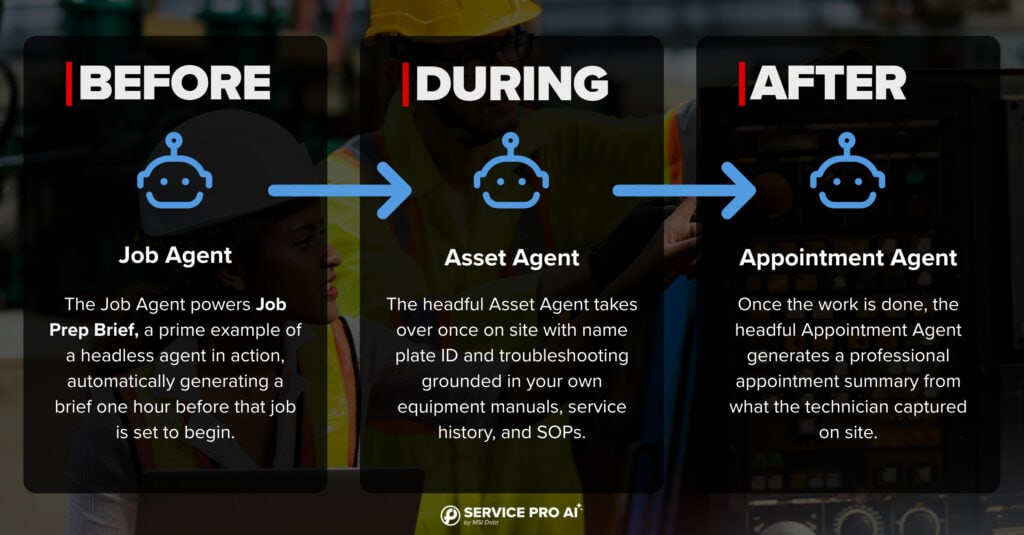
Service Pro AI's live agents map to the three stages of a job: before, during, and after. Each one is built for that specific moment, and together, they cover the full cycle.
Picture a typical morning. A tech is about to head out for a repair. An hour before the appointment, a brief is already waiting for them, no request needed. On site, they run into something unfamiliar and ask a quick question through the app instead of calling a senior tech. When the job wraps up, they upload a few photos and a couple of notes, and a complete summary is generated before they've even left the driveway. Three separate moments, three agents, one connected job.
Job Agent: Before the Job
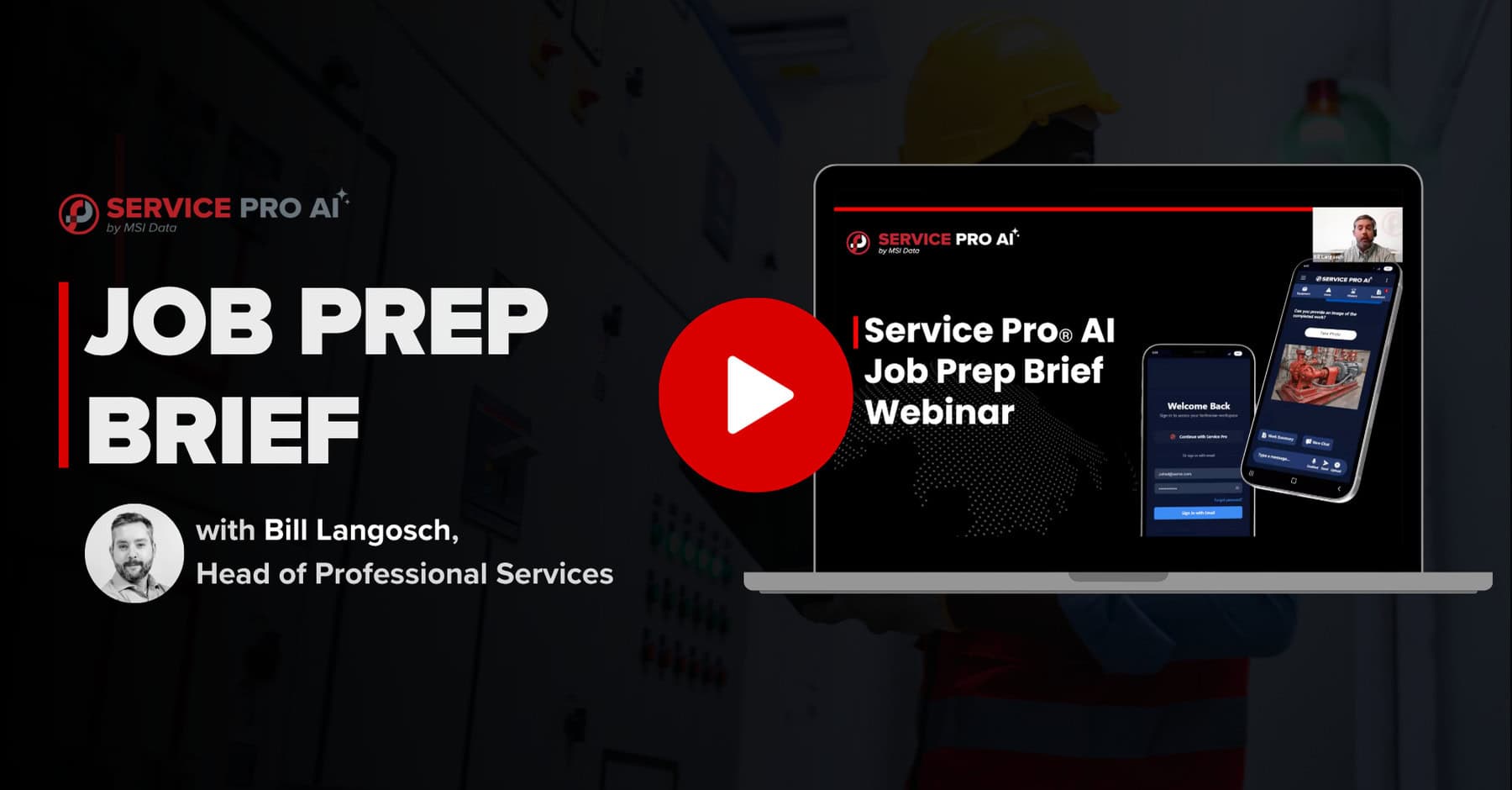
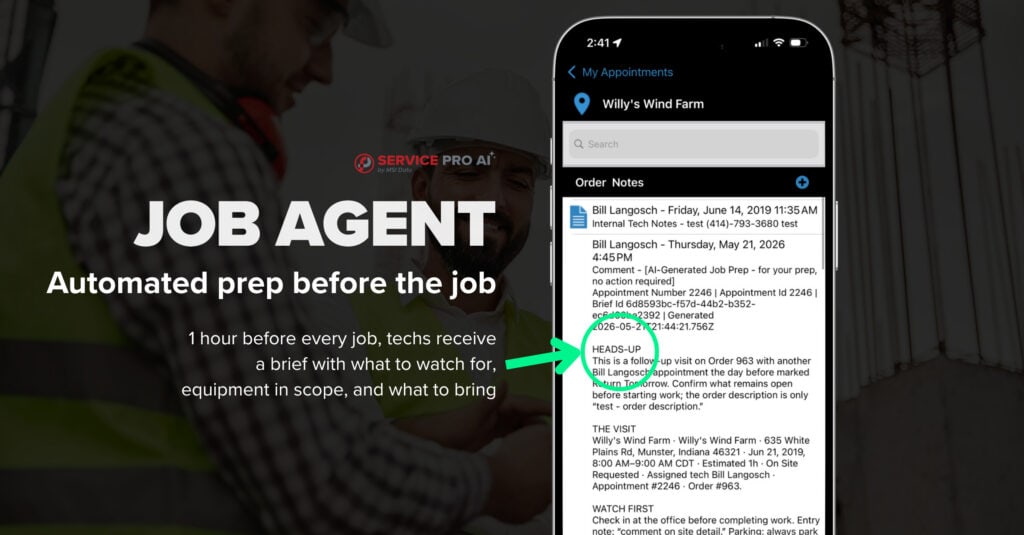
The Job Agent powers Job Prep Brief, a prime example of a headless agent in action.
Once enabled, Job Prep Brief works quietly in the background, watching your schedule and stepping in an hour before each appointment. It pulls together everything a tech would otherwise have to hunt down themselves: recent work order history, site and customer notes, equipment details, warranty and contract status, inspection findings, and parts history. Instead of handing over a pile of raw data, it organizes all of that into a clear, structured brief covering what happened last time, what to expect on arrival, and what to bring. It even catches things a person might miss, like a work order that's been sitting open for years or coverage that lapsed mid-contract.
The result: a tech leaves the shop already knowing what happened last time, what's already been tried, and what to expect, and it's all done automatically. That kind of preparation has real weight behind it. A single unnecessary repeat truck roll can cost anywhere from $175 to over $1,000 in labor, fuel, and vehicle wear, on top of the customer trust that erodes every time a tech has to come back a second time for something that should have been handled the first.
Asset Agent: During the Job
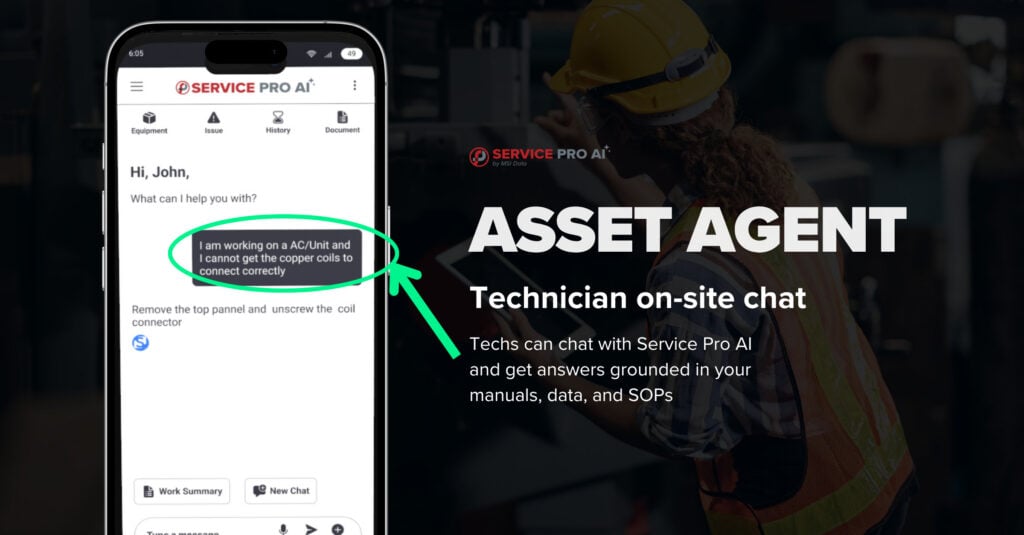
Once the tech is on site, the Asset Agent takes over. This is a headful agent, so the technician interacts with it directly through chat while working. A photo of an equipment nameplate gives instant identification, and a troubleshooting question gets an answer grounded in your own equipment manuals, service history, and SOPs.
Instead of calling a senior tech or flipping through a binder, a technician gets precise, page-cited answers in real time, all pulled from your uploaded manuals and documentation instead of the open internet. The combination of speed and trust helps make every technician your best technician, all backed by the support of the Asset Agent.
Appointment Agent: After the Job
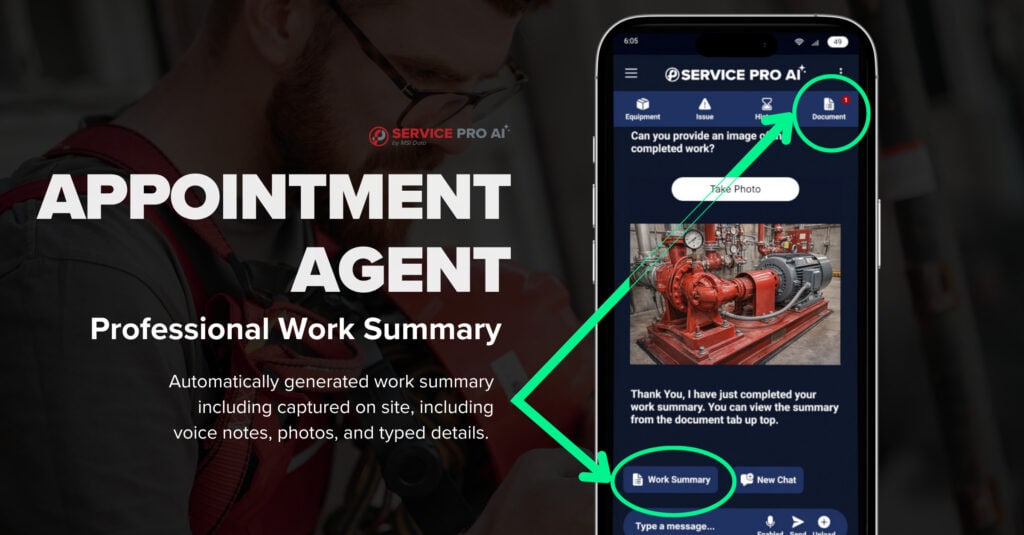
Once the work is done, the Appointment Agent generates a professional appointment summary from what the technician captured on site, including voice notes, photos, and typed details. Being a headful agent, the summary is triggered by the technician uploading that content and requesting the summary directly through the app. That summary pushes back to the work order as a PDF, and the text version now also pushes to a custom field for easier back office access.
Documentation is ready the moment the truck pulls away, rather than getting written from memory later that night.
Before, during, after. That's the full loop, and it's live in Service Pro AI today.
The Road Ahead: Building the Agentic Family
Three agents completing the job cycle is a strong start, and more are already in development. The direction follows a clear arc: the agents live today are focused on protecting revenue, closing the gaps that come from missing context, slow troubleshooting, and incomplete documentation. What comes next shifts towards reducing Time-to-Invoice and recovering revenue that’s being lost to that gap. Beyond that, we have even bigger plans for the future, including expansion of revenue through integrations with the systems field service companies trust, such as Salesforce Field Service and NetSuite ERP.
That direction comes directly from conversations with customers and from what we heard at our 2026 Roadshow stops across the country. Every agent we build follows the same principle as the three live today: purpose-built, grounded in your own data, and designed to solve one specific problem well.
We'll share more on upcoming agents in future webinars; stay tuned and follow us on LinkedIn to see announcements first.
Is Service Pro AI Right for Your Team?
The agentic approach addresses a few common problems:
- Technicians show up to jobs without the context they need
- Troubleshooting calls to your most experienced tech eat up time
- Documentation gets pushed to later, and later becomes never
- You want AI grounded in your own equipment and service history, not a guess from the open internet
A fully built knowledge base isn't required to start seeing value. Features like the Job Agent and Appointment Agent are ready to use early on, and your Forward Deployed Engineer works alongside your team from Day 1 to ensure you get value from them.
Start Your Free Trial of Service Pro AI
The problems field service teams face are familiar. The tools to solve them keep improving. If you want to see what an agentic approach can do for your operations, start your free trial and find out firsthand.
Start Your Free Trial of Service Pro AI
Frequently Asked Questions
What does "agentic AI" mean?
Agentic AI refers to software that understands a goal, figures out the steps needed to complete it, takes action, and learns from the results. A standard chatbot responds only when prompted, and a general-purpose LLM like ChatGPT, Claude, or Gemini generates a response based on broad training data rather than working from a specific set of data toward a specific outcome.
What's the difference between a headless and a headful agent?
A headless agent runs automatically in the background with no user interface needed, like the Job Agent that generates Job Prep Brief without anyone triggering it. A headful agent requires direct interaction through a chat interface, like the Asset Agent a technician talks to during a job.
How many agents does Service Pro AI have today?
Three agents are live today: the Job Agent (before the job), the Asset Agent (during the job), and the Appointment Agent (after the job). Together, they cover the full lifecycle of a service appointment.
Is Service Pro AI building more agents?
Yes. The team is developing additional agents shaped by customer feedback and conversations from roadshow events, expanding beyond the job cycle into new areas over time.
Do I need a fully built knowledge base to use these agents?
No. Features like Job Prep Brief and appointment summaries work from data already in Service Pro 10, including your work order history, site notes, and equipment records. You can start seeing value early and build out your knowledge base as you go.
See what the wait between a finished job and a sent invoice is costing you.
Run the numbers